SampleScope
Mirrors the MPC Sample screen, shows pad hits, and plays USB audio in a browser tab. A local bridge runs on Windows or macOS.
Screenshots (2)
Images: from bmarcinb/SampleScope
About
Your Akai MPC Sample's screen, pads and sound — in one browser tab. No Remote Screen Viewer, no DAW. Mirror the screen, watch every pad hit light up, hear the MPC on your PC with ~7 ms latency, and skin the whole thing (VHS, Y2K desktop, synthwave, CRT, hi-fi, handheld LCD…). Perfect for streaming, tutorials and recording beat videos.
Features
- Live MPC screen in the page — SampleScope logs in to the MPC's built-in Remote Screen itself, so the official viewer isn't needed.
- Pads that light up as you play, brighter the harder you hit, with hit counters, a velocity meter, hits/min and tempo from MIDI clock.
- Play the MPC from your computer: click/tap the on-screen pads or use your keyboard, and the MPC plays its sounds.
- Knobs & controls: anything the MPC sends as MIDI CC appears as a dial.
- Low-latency, clean audio: the MPC's USB audio (USB In 1/2, like in FL Studio) plays on your PC — about 7 ms, with clock-drift correction so it never crackles. Turn the MPC itself down and listen on your headphones.
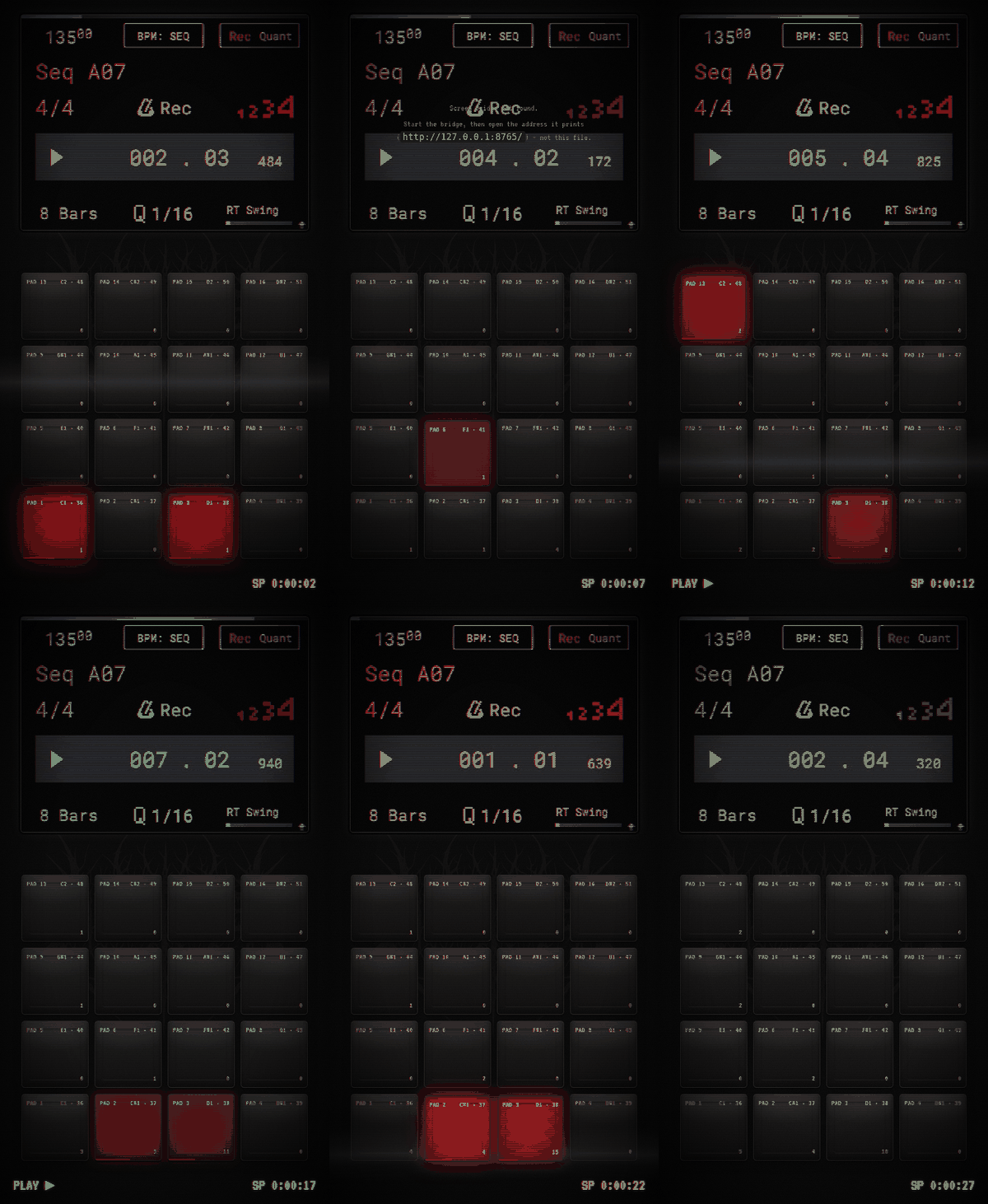
- 7 themes: Studio, Mindgrinder VHS, Luna 2001, Neon Grid, Amber CRT, Hi-Fi 1977, Pocket LCD — and it's easy to make your own.
- Move and resize every panel; your layout is saved.
- Compact mode (screen + pads only) and OBS-friendly URL options for streaming.
- Beat player (optional): play a boom-bap groove into the MPC over MIDI.
What you need
- Akai MPC Sample on firmware 1.4 or later, connected to your computer by USB.
- Windows 10/11 or macOS (12 Monterey or newer).
- Python 3.10+ — from python.org (on Windows tick Add python.exe to PATH; on a Mac, Homebrew's
pythonworks too). - Chrome or Edge (they support Web MIDI, which shows your pads — Safari doesn't).
Set up the MPC Sample (once)
- SHIFT + PAD 8 (MIDI CONFIG) → scroll to Dev Enhancements (Beta) → turn it on → turn on Remote Screen. The MPC shows an Address and a Password there. You need the password.
- Still in MIDI Config, set the MIDI port to USB (not External) — otherwise your pad hits never reach the computer — and turn Pad MIDI In on, so the pads in the page (and your keyboard) can play the MPC.
- Plug the MPC into the computer with a USB data cable. If Remote Screen says Address: Not Connected, see Troubleshooting — on Windows 10 it needs one driver fix, then restart the MPC. Macs need no driver.
Install & run
Download this repo (Code → Download ZIP, then unzip) or git clone it.
Windows
- Double-click
install.bat(installs the Python packages once). - Double-click
start.bat, type the Remote Screen password from the MPC, press Enter.
macOS
- Double-click
install.command(sets up a private Python environment in the folder, once). The first time, macOS may say it's from an unidentified developer: right-click → Open → Open. - Double-click
start.command, type the Remote Screen password from the MPC, press Enter. - When macOS asks whether Terminal may use the microphone, click Allow — that's how macOS guards every audio input, including the MPC's USB audio. (Missed it? System Settings → Privacy & Security → Microphone → Terminal.)
Your browser opens http://127.0.0.1:8765/ — the MPC screen, pads and controls (on a Mac it picks Chrome or Edge). Allow MIDI when the browser asks. The sound starts playing through your computer at the same time.
Prefer the command line?
python3 -m pip install -r requirements.txt          # Windows: py -m pip install -r requirements.txt
python3 screen_bridge.py 192.168.155.1 --password YOURPASSWORD   # Windows: py screen_bridge.py ...
Always open the address the bridge prints, not
samplescope.htmlas a file — browsers block the screen picture on a file page.
Using it
| Button / key | What it does |
|---|---|
| Theme | Pick a look. Saved for next time. |
| Smooth / Pixel (on the screen panel) | Smooth: crisp but anti-aliased, like the MPC's own screen (default). Pixel: hard square pixels. |
| Move | Drag panels by their tab, resize from the corner. Done saves it, Reset layout undoes it. |
| Compact / Esc | Just the screen and pads. Move the mouse to show the Exit compact button. |
| Play on | Where the on-screen pads and keyboard send their notes — picks the MPC automatically ("off" = light up only). |
| Click / tap a pad | Plays it on the MPC. Near the top = hard, near the bottom = soft, Shift = soft. |
Keys 1234 QWER ASDF ZXCV |
Play the 16 pads on the MPC from your keyboard (Shift = soft hit). |
| Learn pads | Click it, then hit pads 1→16 on the MPC, if your pad notes differ. |
| Right-click a pad, double-click a knob | Give it a name ("Kick"). |
For OBS / streaming, add a Browser Source with options in the address:
http://127.0.0.1:8765/?theme=mindgrinder&compact — ?obs gives a green background for chroma key.
Audio
The launcher starts the audio automatically. It plays the MPC's USB In 1/2 on your default output, alongside your other apps' sound. Pick a different output (headphones, speakers…) any time with Hear on in the page — it's remembered. Before playing it measures your system's audio timing for half a second and sizes its buffer to fit, so it doesn't drop out.
Windows: Crisp. Click Crisp (next to Hear on) for the cleanest sound: the MPC's audio goes to your output untouched,
skipping Windows' mixer, sound effects/EQ software and resampling (exclusive mode). Other apps can't play on that output
while it's on — handy while making beats; turn it off when you want YouTube etc. alongside. It's remembered. On Windows you can add --audio-exclusive for the lowest possible latency (WASAPI exclusive mode) — but then
other apps can't play on that output while it runs. On macOS it uses Core Audio, which is low-latency and always shared.
Option (add after start.bat / start.command in a terminal, or after the command) |
Effect |
|---|---|
--audio-out "Headphones" |
Pick the output by (part of) its name (or use Hear on in the page). py usb_audio.py --list shows the names. |
--audio-blocksize 64 |
Even lower latency. 256 if you hear dropouts. |
--audio-exclusive |
Windows: lowest latency, but other apps go silent on that output while it runs. |
--audio-stats |
Print buffer/clock stats every 5 s. |
--no-audio |
Screen and pads only. |
How it stays clean: the MPC and your sound card run on two different clocks. SampleScope keeps a tiny buffer between them and adjusts playback speed by a few millionths (inaudible) so they never drift apart, and the buffer grows by itself if your PC ever can't keep up. It runs as its own high-priority process so the screen never interrupts it.
Sample from PC
The MPC Sample has one USB port, so while SampleScope uses it you can't plug a phone in to sample from. You don't need to: anything the computer plays can go into the MPC over the same cable.
- Click Sample from PC in the page. Everything this computer plays now goes into the MPC (it becomes the default output).
- On the MPC: SHIFT + SAMPLE → Source: USB, Monitor: On. You hear the sound through the MPC, in your headphones as usual.
- Play the YouTube video, track or file, and press SAMPLE RECORD (or SHIFT + SAMPLE RECORD to grab the last 25 seconds).
- Click Sample from PC again to put your normal sound output back. Closing SampleScope also puts it back — even after a crash, it's restored on the next start.
SampleScope's own audio never plays into the MPC, so there's no echo loop.
Themes
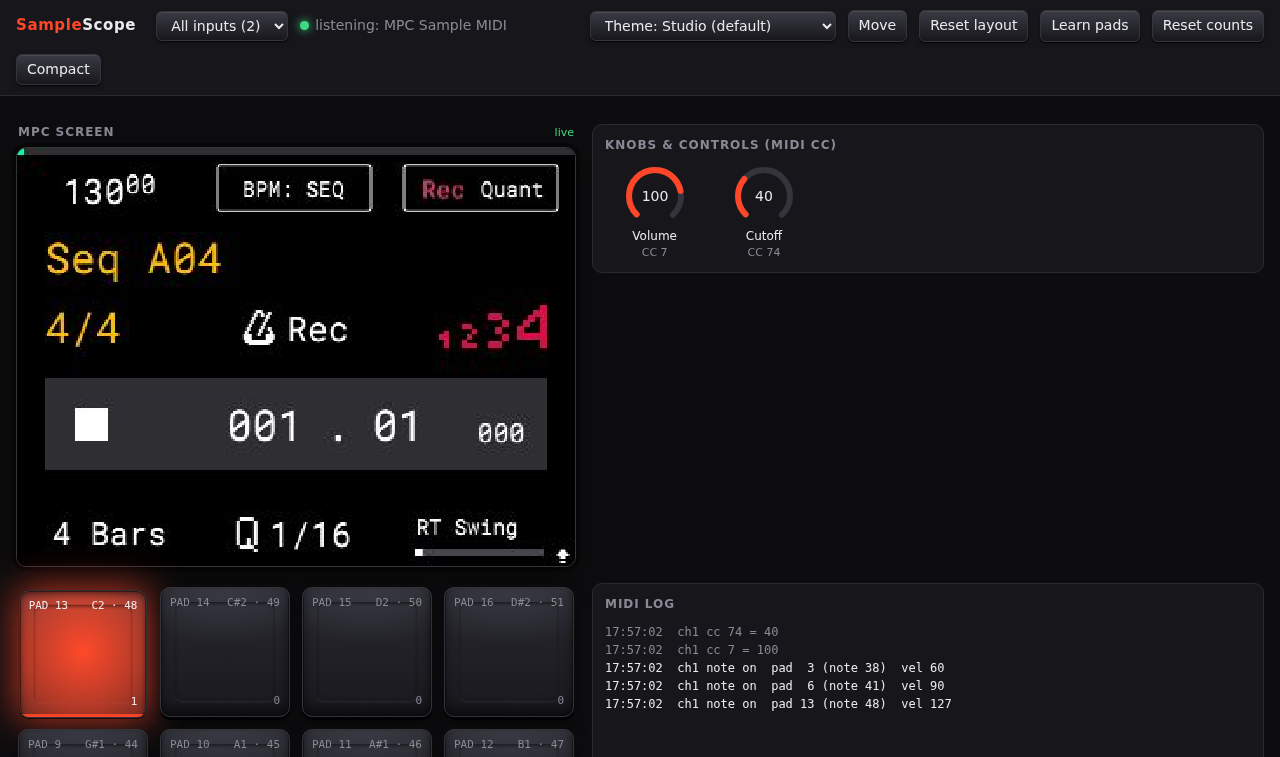 Studio |
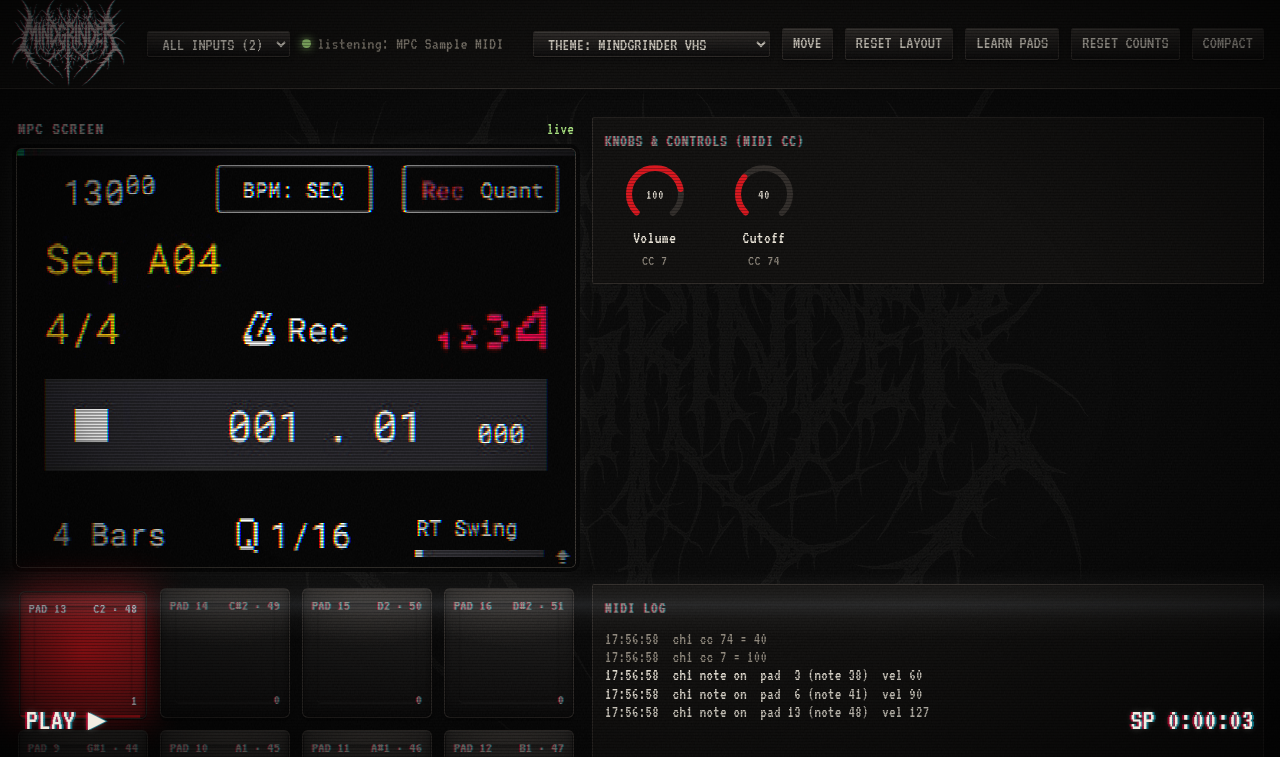 Mindgrinder VHS |
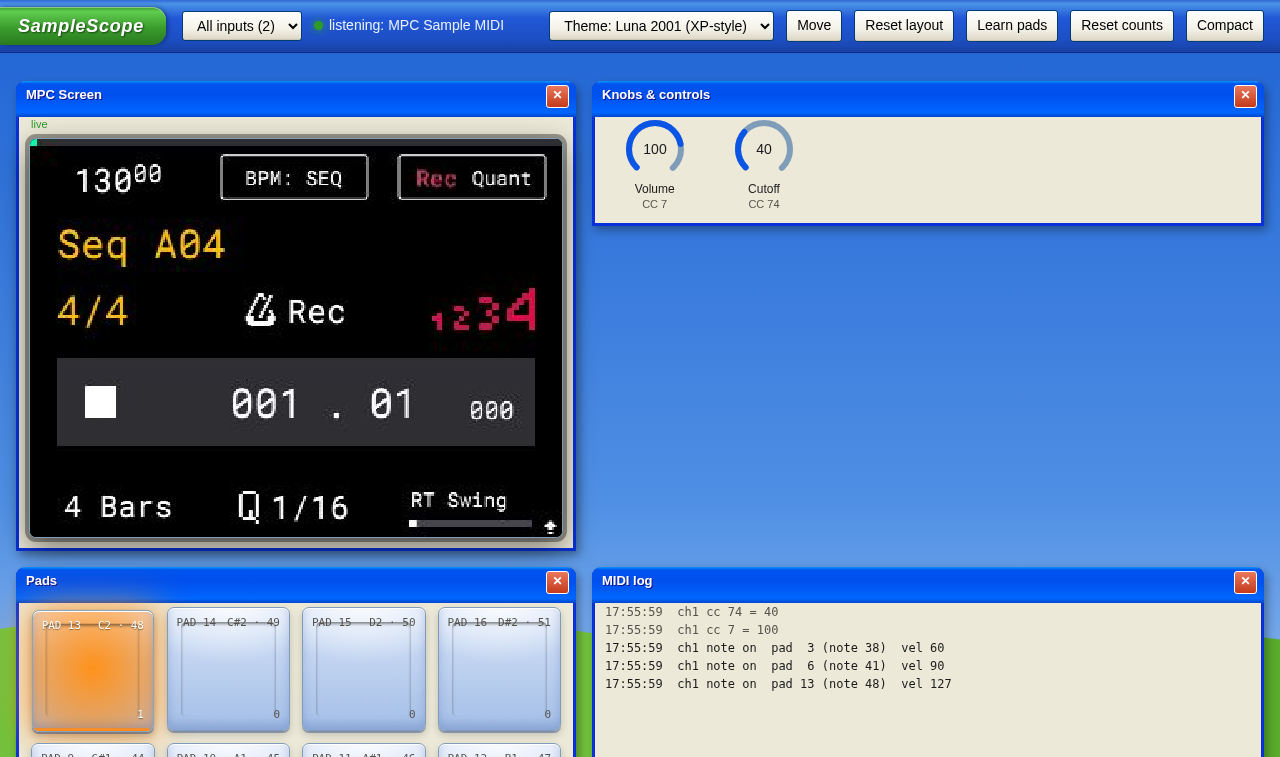 Luna 2001 |
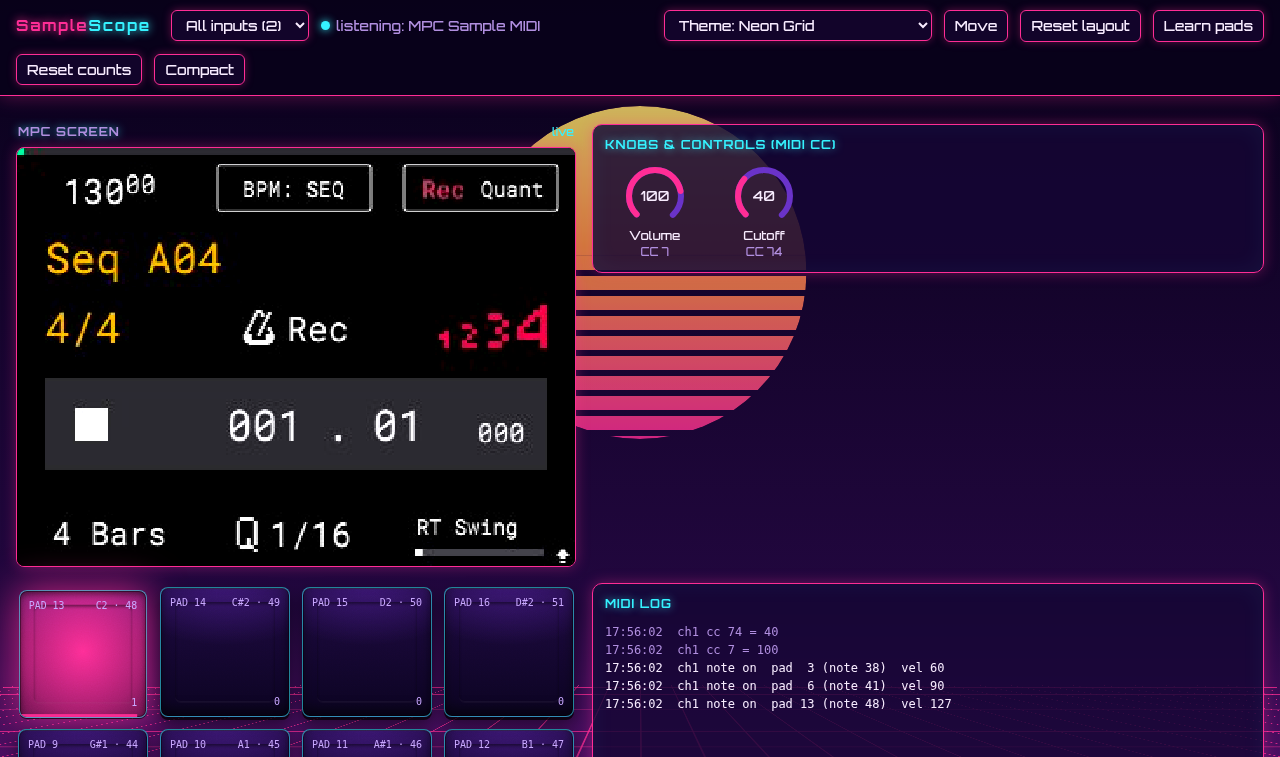 Neon Grid |
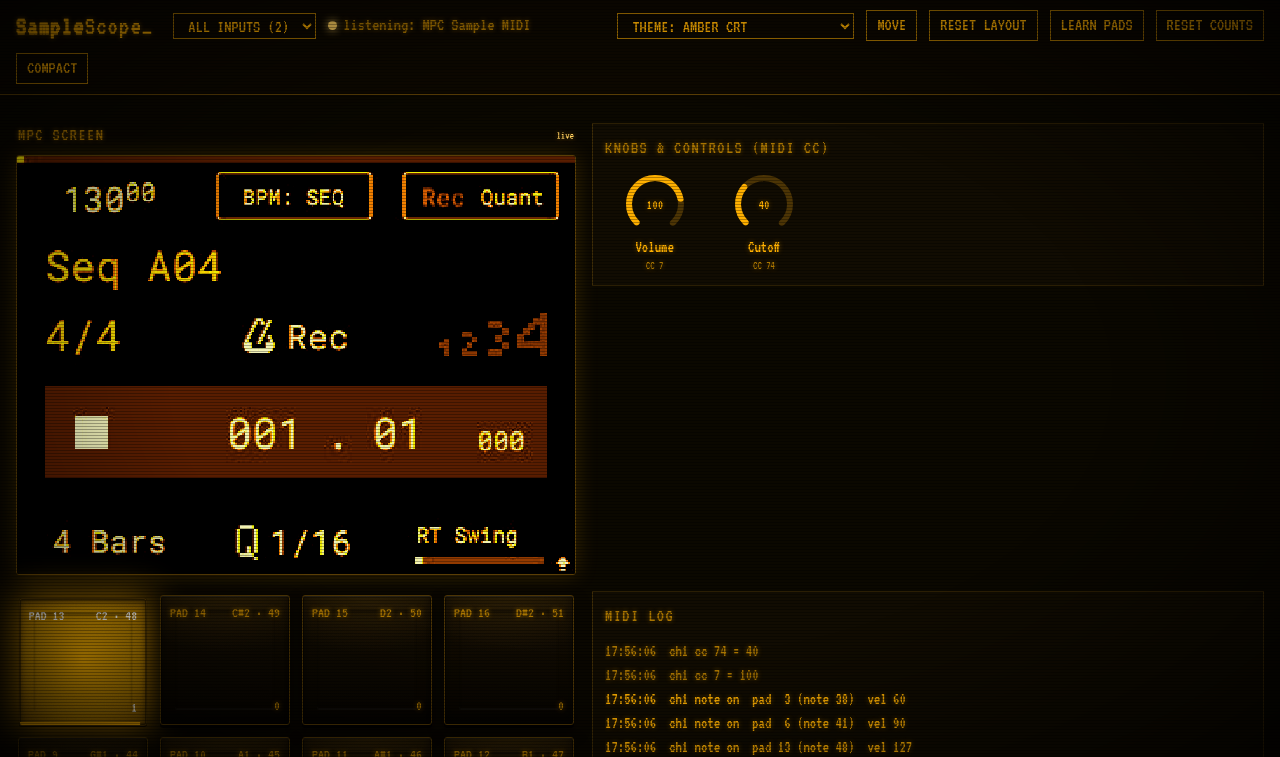 Amber CRT |
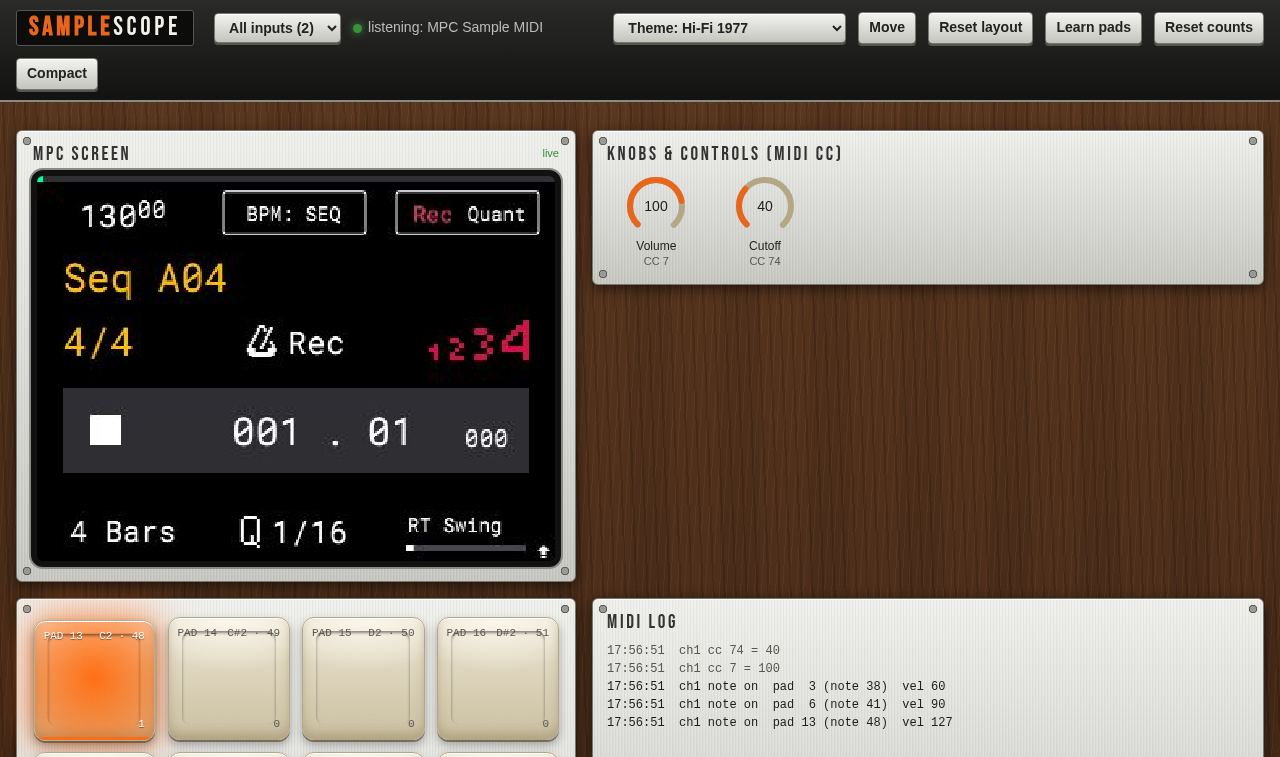 Hi-Fi 1977 |
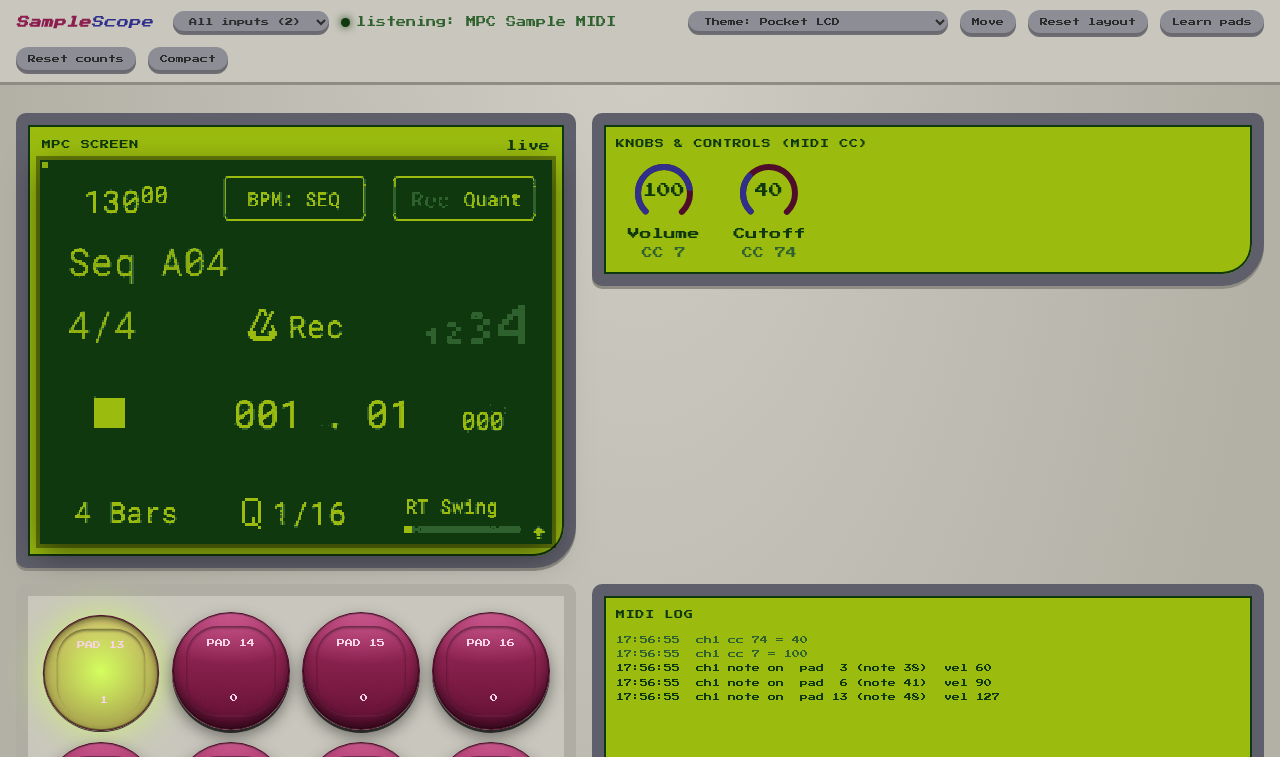 Pocket LCD |
Make your own: open assets/themes.css, copy one theme block, rename it, change the colours and
fonts, then add an <option> for it in samplescope.html (search for themeSel). Images and fonts you put in assets/
are served at assets/yourfile.png. Share it with a pull request!
Beat player (optional)
beat_player.py plays a 90 BPM boom-bap groove into the MPC over USB MIDI — your own samples, played by the script.
py -3.12 -m pip install -r requirements-beats.txt   # python-rtmidi needs Python 3.12 for now
py -3.12 beat_player.py --probe                      # hear which note triggers which pad
py -3.12 beat_player.py                              # play (Ctrl+C to stop); --bars 8 to record 8 bars
Troubleshooting
| Problem | Fix |
|---|---|
| MPC shows Address: Not Connected (Windows 10) | Device Manager → CDC NCM (yellow warning) → Update driver → Browse → Let me pick → Network adapters → Microsoft → UsbNcm Host Device. Then restart the MPC. |
| Page opens something else on the port | The bridge picks a free port and prints it — open the address it prints. |
| "Screen bridge not found" | Open http://127.0.0.1:8765/ (the printed address), not the HTML file. Check the bridge window for errors. |
| Login failed | The password changes when Remote Screen is turned off/on — use the one on the MPC now. |
| Pads don't light up | MIDI Config → set the MIDI port to USB. Close FL Studio/DAWs that hold the MPC's MIDI port. Try Learn pads. |
| Clicking pads / keyboard doesn't play the MPC | MIDI Config → Pad MIDI In: On. Check Play on shows the MPC, and that no other app holds its MIDI output. |
| Audio dropout messages | Use --audio-blocksize 256. |
| Audio won't open | Another app holds the output in exclusive mode — close it, or drop --audio-exclusive if you used it. |
| Windows sounds less crisp than the Mac | Click Crisp. Also check Windows sound "enhancements" and EQ/spatial software (e.g. SteelSeries Sonar) on that output. |
| Mac: no sound | System Settings → Privacy & Security → Microphone → allow Terminal, then run start.command again. |
| Mac: "unidentified developer" | Right-click the .command file → Open → Open (only needed the first time). |
| Mac: pads don't show in Safari | Safari has no Web MIDI — open the address in Chrome or Edge. |
| Mac: "no MIDI inputs" in Chrome | Chrome only sees MIDI devices that were plugged in when it started. Quit Chrome fully (Cmd+Q), reopen it, and go back to http://127.0.0.1:8765/ — leave SampleScope running. |
How it works
screen_bridge.py speaks the MPC's Remote Screen protocol (TCP 7447): a password-based mutual login, then compressed screen
tiles that it decodes and serves to the page. The pads come straight from the MPC's USB MIDI through the browser's Web MIDI.
usb_audio.py streams the USB audio input to your output. Details: docs/PROTOCOL.md.
Disclaimer
SampleScope is an independent, unofficial project. It is not affiliated with, endorsed by or supported by Akai Professional or inMusic Brands. "Akai", "MPC" and "MPC Sample" are trademarks of inMusic Brands, Inc. The Luna 2001 theme is an homage to early-2000s desktop styles and is not affiliated with Microsoft. SampleScope only talks to your own MPC, with the Remote Screen password your MPC shows you, over your own USB connection, and only reads the screen. Remote Screen and the other Dev Enhancements are beta features on the MPC — use at your own risk and save your work.
License
MIT © 2026 bmarcinb. The Mindgrinder logo in assets/mindgrinder.png belongs to its owner and is used for the Mindgrinder theme.
Recent releases
-
Release notes
Downloads
Windows 10/11 SampleScope-1.2.0-windows.zip— unzip, double-clickinstall.bat, thenstart.batmacOS SampleScope-1.2.0-macos.zip— unzip, double-clickinstall.command, thenstart.command(first time: right-click → Open)Needs an Akai MPC Sample on firmware 1.4+, Python 3.10+, and Chrome or Edge. Each zip has a START HERE.txt with the steps.
What's new
Windows sound and screen polish. macOS audio is unchanged (verified bit-for-bit identical to 1.1.0).
- Crisp (Windows): one click plays the MPC untouched — exclusive mode skips Windows' mixer, effects/EQ software and resampling, like the Mac. Remembered; the page tells you if another app is holding the output.
- Windows: dropouts handled in one step. If the MPC's audio pauses (seen on Windows, not on Mac), SampleScope now measures how long the pause was when the audio comes back and sizes the buffer to cover it at once — one dropout instead of a string of them (buffer capped at 50 ms). The console says how long the MPC was silent. If the MPC stops sending audio altogether, SampleScope notices within 1.5 s and reopens the audio by itself. (macOS audio is unchanged — verified bit-for-bit identical to 1.1.0.)
- Smoother MPC screen (default on Windows; on macOS pick Smooth to try it): "sharp-smooth" scaling (whole-number enlargement, then smoothed to fit) gives even, crisp, anti-aliased pixels like the MPC's own screen; on Windows, frames are sent at higher quality with full colour detail. Smooth / Pixel choice on the screen panel.
- No more horizontal scrollbar flashing at the bottom of the page; long MIDI log lines wrap; moved panels can't be dropped off the right edge.
-
Release notes
Downloads
Windows 10/11 SampleScope-1.1.0-windows.zip— unzip, double-clickinstall.bat, thenstart.batmacOS SampleScope-1.1.0-macos.zip— unzip, double-clickinstall.command, thenstart.command(first time: right-click → Open)Needs an Akai MPC Sample on firmware 1.4+, Python 3.10+, and Chrome or Edge. Each zip has a START HERE.txt with the steps.
What's new
Sample from your computer without unplugging, pick where you hear the MPC, and clean audio on Windows. Tested on Windows and macOS with a real MPC Sample.
- Sample from PC: the MPC Sample has one USB port, so you can't plug a phone in while SampleScope uses it — you don't need to. One button makes the MPC the computer's sound output, so anything playing on the computer can be sampled (on the MPC: Source USB, Monitor On). A strip in the page reminds you of the MPC settings. Click again — or just close SampleScope — to get your normal output back; it's restored on the next start even after a crash.
- Hear on: choose where you hear the MPC (headphones, speakers, TV…) from a menu in the page. Switching restarts only the audio, and your choice is remembered.
- Windows: your other apps stay audible. The output is shared again (only the MPC's input is taken exclusively, for
smooth low-latency audio), so YouTube and everything else keep playing.
--audio-exclusivestill gives the lowest latency if you don't need that. - No more dropouts on Windows: before playing, the audio measures your system's real timing and sizes its buffer to fit. About 12 ms of buffer on Windows, ~7 ms on a Mac. If a dropout ever happens later, it recovers in 30 ms.
- SampleScope's own audio never plays into the MPC, so there's no echo loop.
-
Release notes
Downloads
Windows 10/11 SampleScope-1.1.0-beta.1-windows.zip— unzip, double-clickinstall.bat, thenstart.batmacOS SampleScope-1.1.0-beta.1-macos.zip— unzip, double-clickinstall.command, thenstart.command(first time: right-click → Open)Needs an Akai MPC Sample on firmware 1.4+, Python 3.10+, and Chrome or Edge. Each zip has a START HERE.txt with the steps.
What's new
Test build of the next version, from the
pc-samplingbranch. Please report anything that breaks.- Sample from PC: one button makes the MPC the computer's sound output, so anything playing on the computer can be sampled (MPC Source: USB) without unplugging SampleScope. Click again — or just close SampleScope — to get your normal output back; it's restored on the next start even after a crash. Windows and macOS.
- Windows: your other apps stay audible. Audio now uses WASAPI shared mode by default (like macOS). The previous
lowest-latency mode, which silenced other apps, is still there as
--audio-exclusive. - SampleScope's own audio never plays into the MPC, so there's no echo loop when the MPC is the default output.