hdslaveOS
A Melodee fork with custom screen pages for hdslave's CLAP plug-ins (FM, 808-style drums, 303 acid and more), plug-in sidechain keying, and CPU, refresh and pad brightness settings.
Screenshots (7)
Images: from hdslave/hdslaveOS
About
A performance-tuned 16-track groovebox OS for the Akai MPC Sample
hdslave's fork of Melodee by Kerem Kiliç (Ellic Studio), currently tracking Melodee v0.6.4.
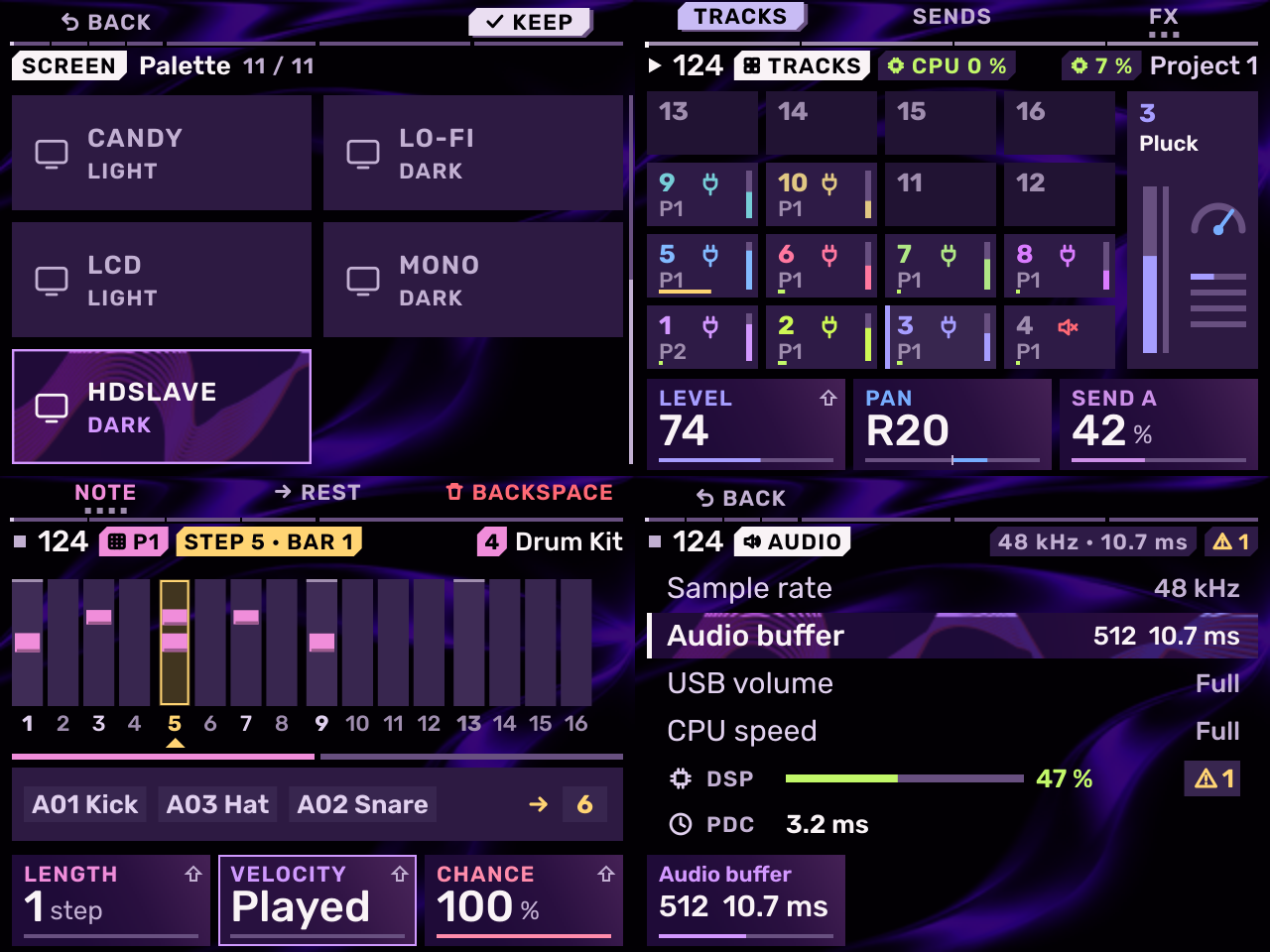
What hdslaveOS adds over stock Melodee
hdslaveOS (originally melodee-hdslave) cuts wasted CPU and display work on the Akai MPC Sample so more headroom goes to your synths and effects and the battery lasts longer — while playing back bit-identical audio to stock Melodee.
- Performance & power controls: Removes idle/redundant work across the engine and UI, and adds four hardware settings — CPU speed (runs at full speed unless you step it down yourself), Refresh, Dim after, and Pad brightness. See optimization.md for the full breakdown.
- Custom themes (
HDSLAVE&MONO): Settings › SCREEN › Palette adds HDSLAVE (a static purple flare on black, the default on new cards and legacyNIGHTcards) and MONO (a crisp black-and-white dark mode), both with sharp square corners. - Custom CLAP plug-in screens (
com.hdslave.melodee.screen/1): CLAP instruments and effects can draw their own animated, interactive pages directly on the MPC Sample's display (documented in docs/MELODEE.md), and sleeping CLAP plug-ins wake automatically as soon as you turn a knob. - Sidechain keying from plug-in outputs: The master compressor's Sidechain can be keyed directly by a CLAP plug-in's second output (such as Foundry's SC Key kick-only bus).
- Hands-on ergonomics: On Step Edit, SHIFT + encoder steps the caret a full bar at a time; kit pads assigned any of the 16 colours light more vividly; and a custom hdslave intro boot film replaces the default splash.
Palettes & Custom Plug-in Screens
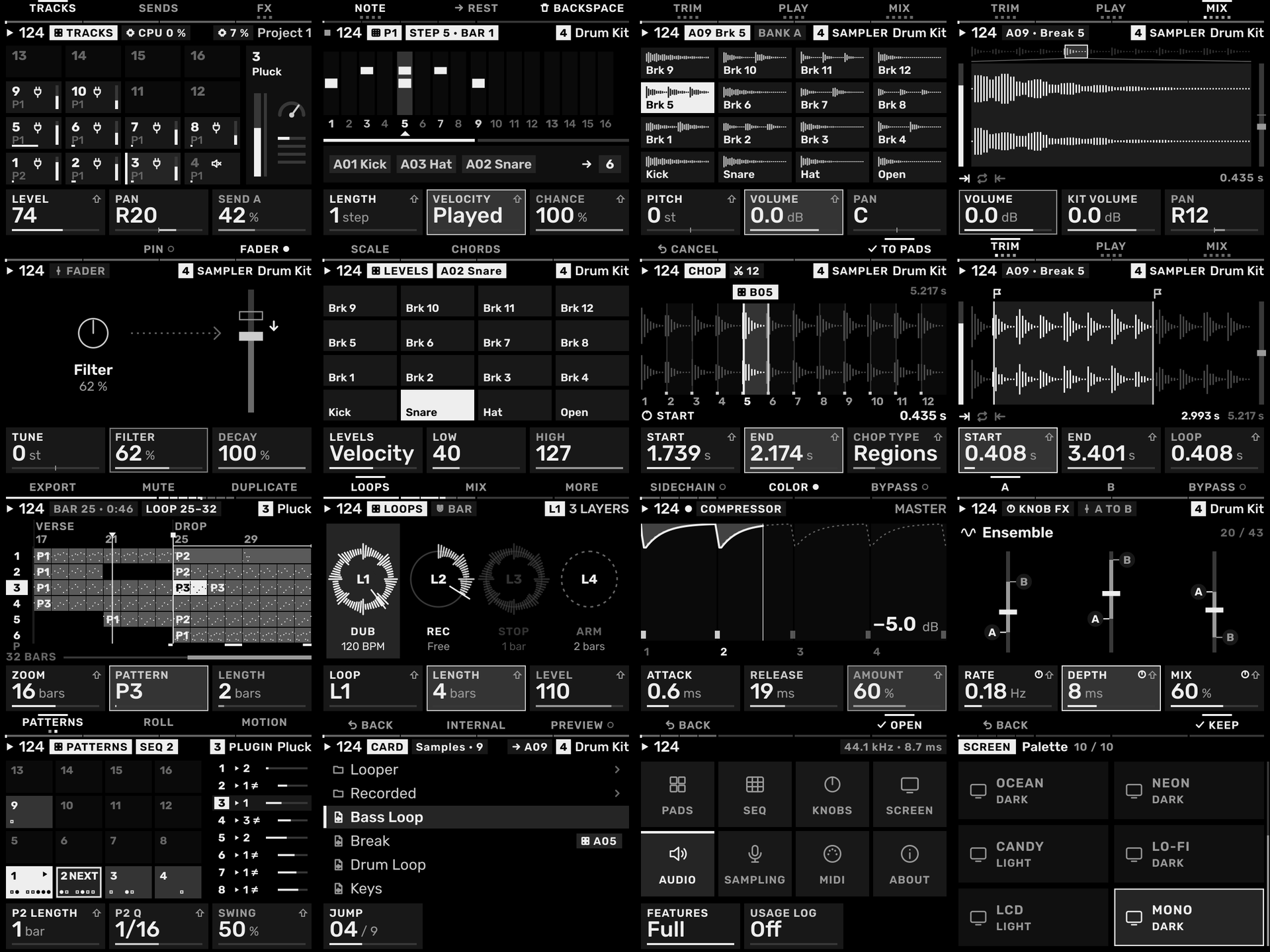
MONO — high-contrast black-and-white dark palette across 16 pages.
All eleven plug-ins in the hdslave MPC Sample Synths & Drum Machines collection use the hdslaveOS screen extension to render bespoke hardware-inspired interfaces right on the MPC Sample:
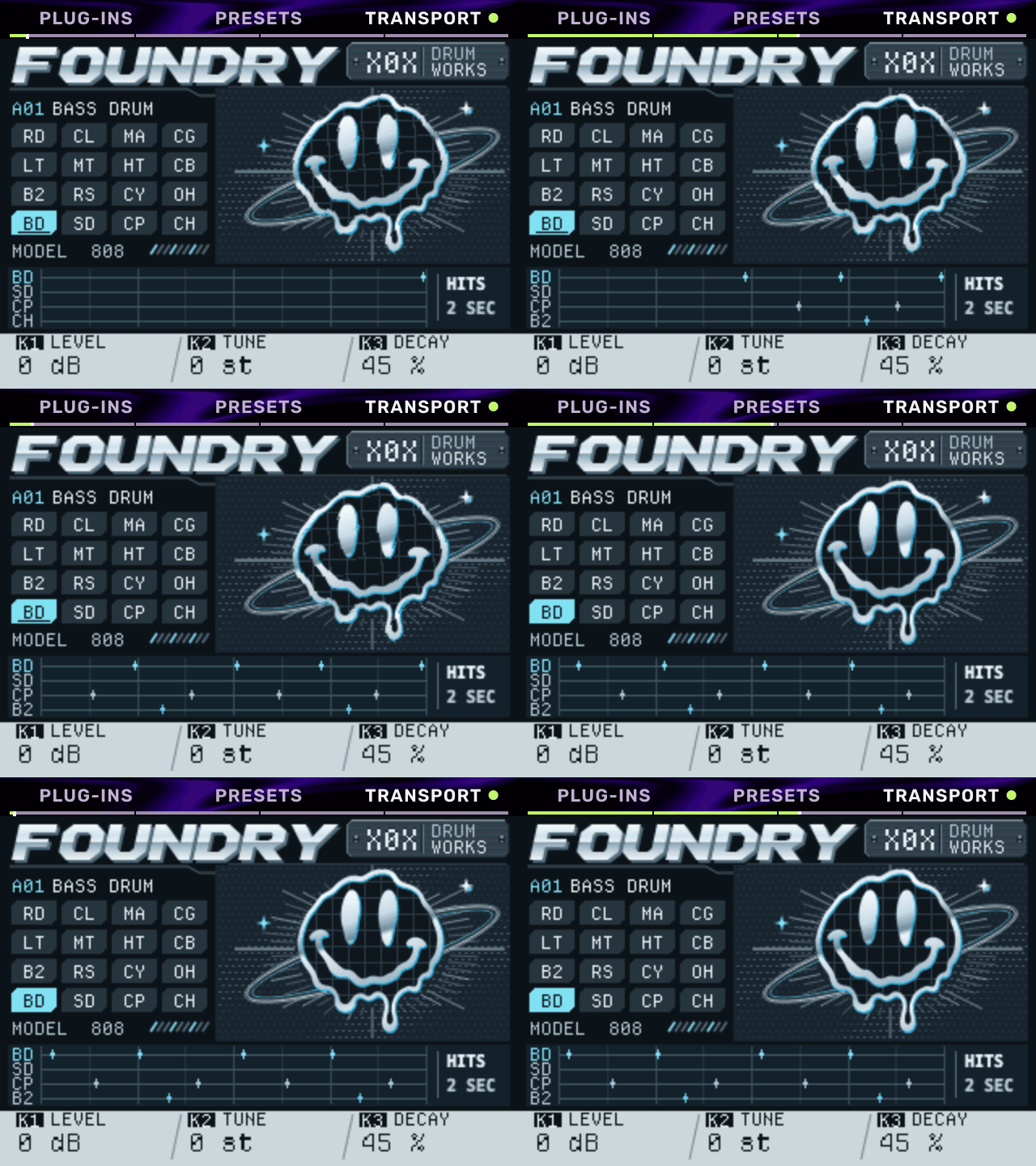 Foundry — 16-voice 808/909/606 drum machine |
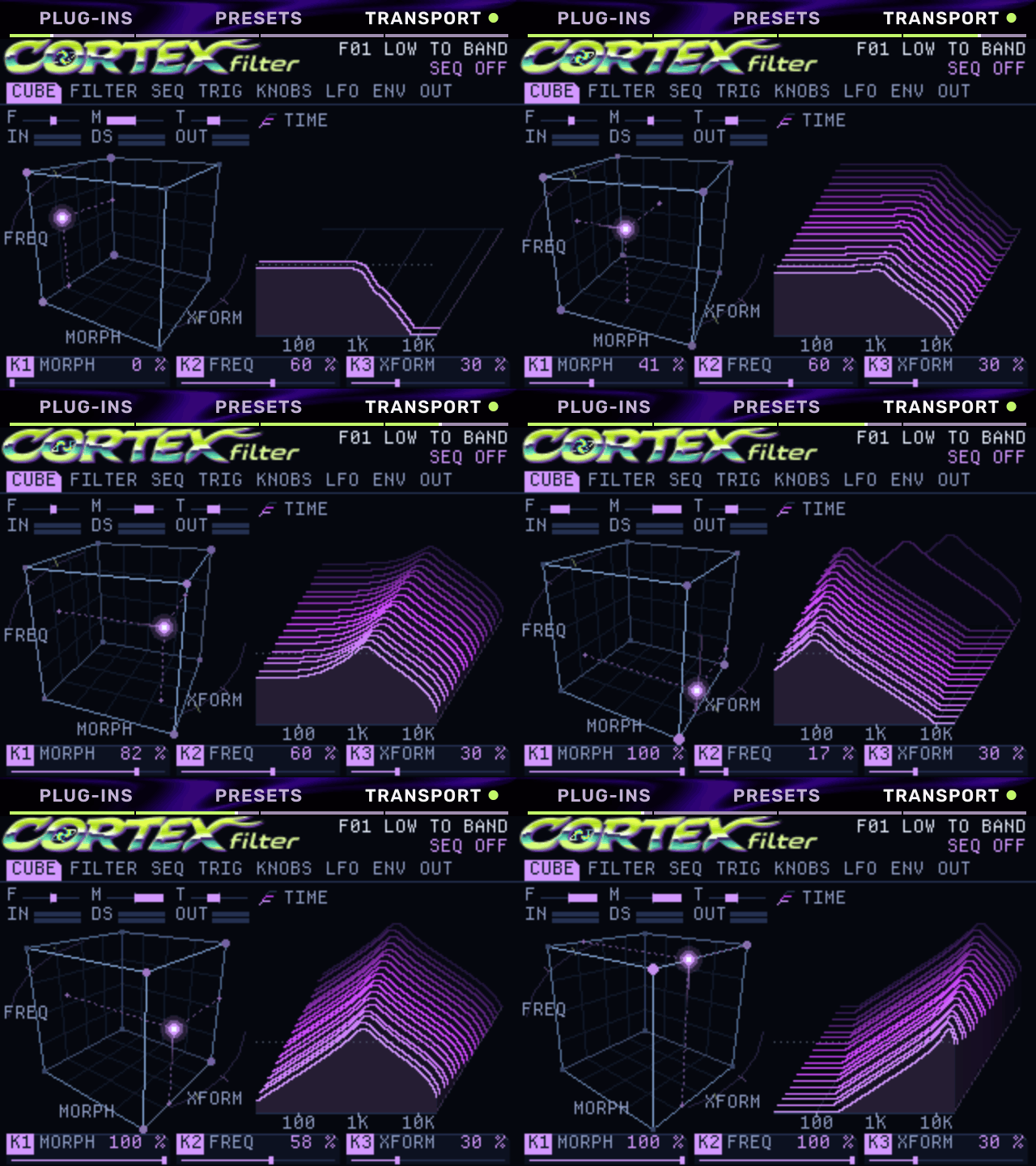 Cortex Filter — 3D Z-plane morphing filter cube |
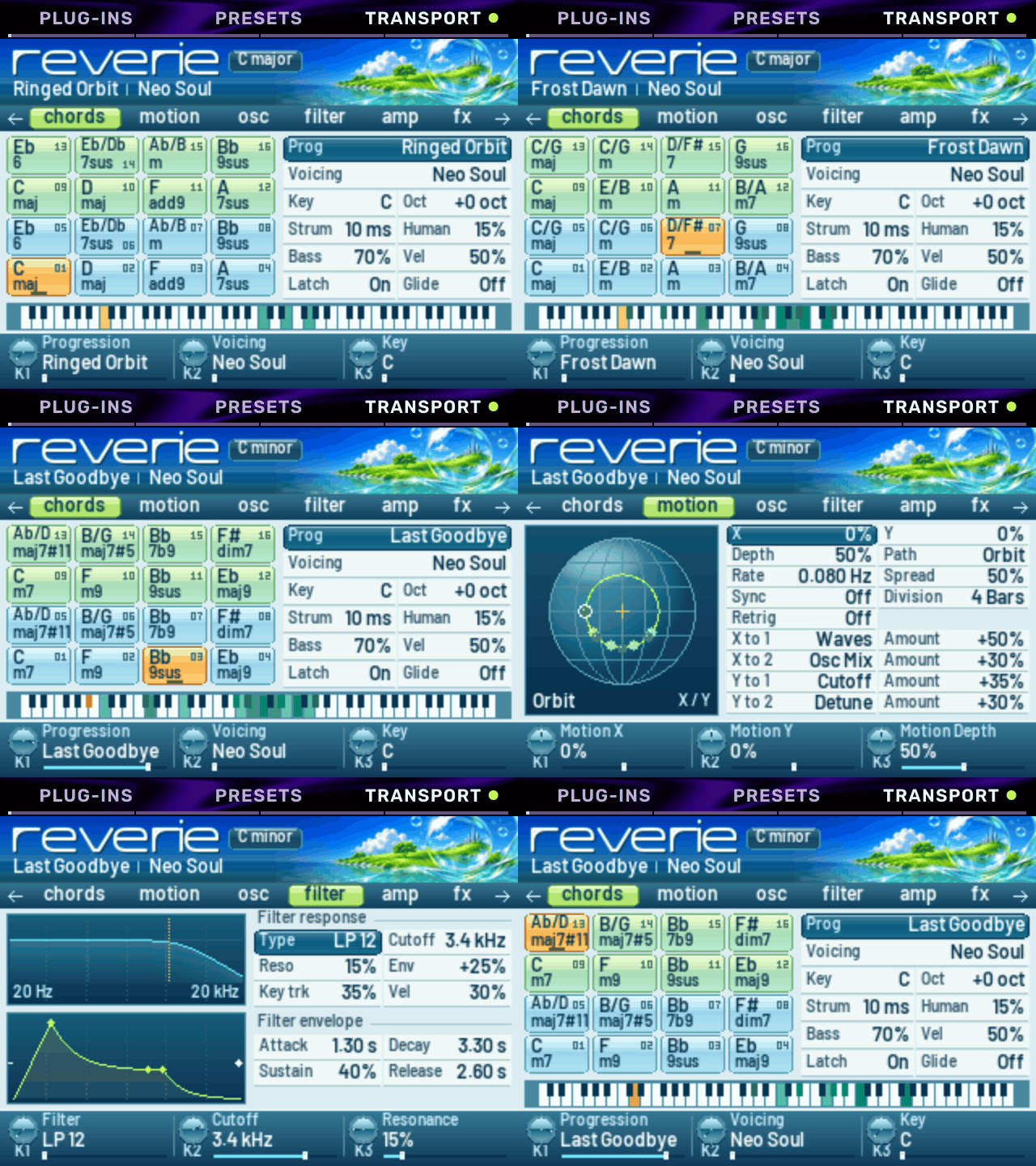 Reverie — chord-progression & Motion pad synth |
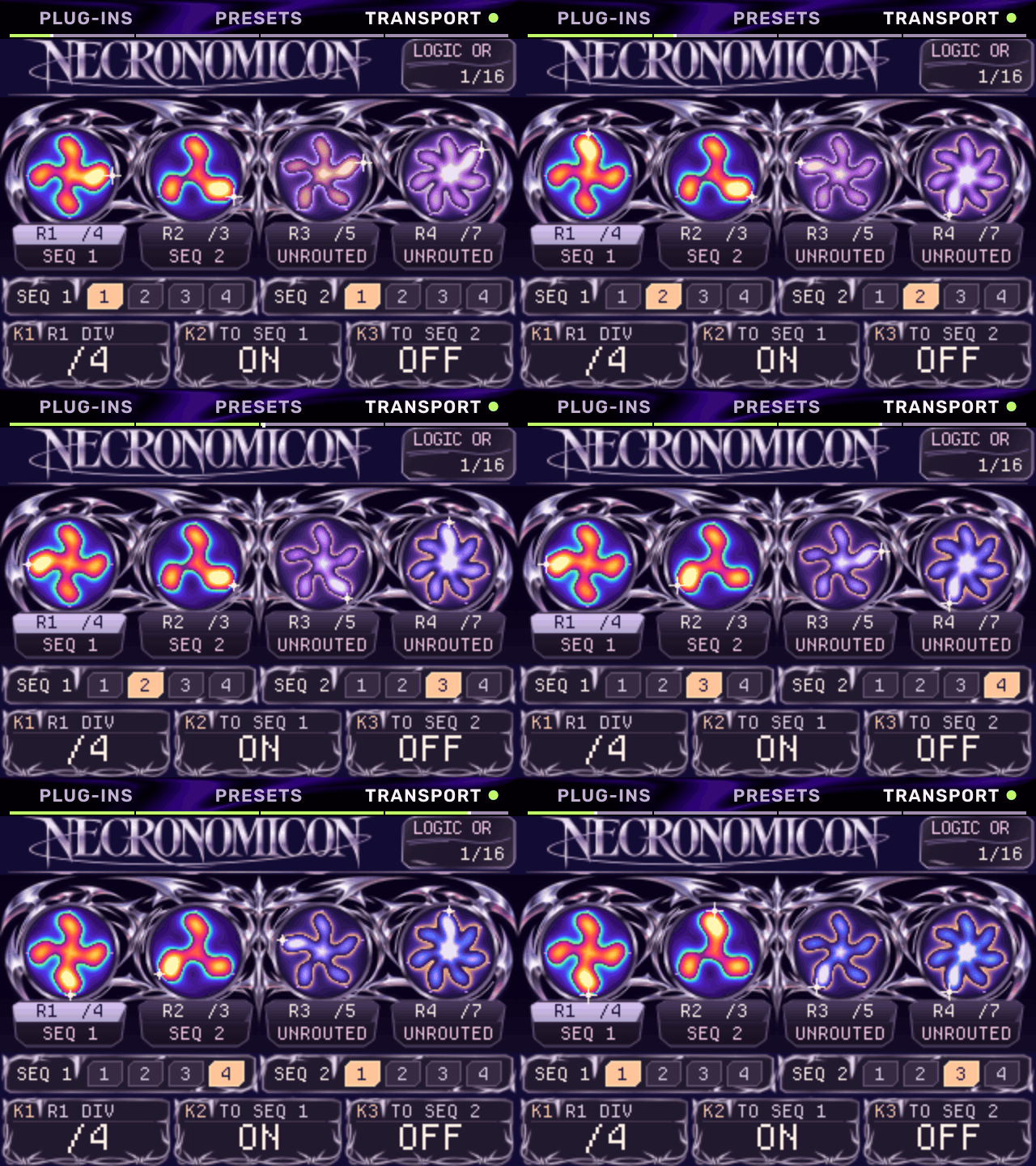 Necronomicon — polyrhythmic subharmonic synth |
See all 11 animated plug-in interfaces in the hdslave MPC Sample Synths & Drum Machines hub.
About Melodee
Melodee is a 16-track groovebox for the Akai MPC Sample. It runs on the MPC in place of the stock app, started from the microSD card. Each pad is a track: a drum kit, a keygroup (a sampled instrument), a plug-in instrument, a MIDI track for external gear, or an audio track. Tracks play patterns, patterns make sequences and a song, and every track has a mixer strip and an effect chain that takes plug-in effects.
Melodee does not change anything on the MPC itself. It runs from files on
the card. Choose MPC APP on its Exit screen, or remove its autorun
folder from the card, and the stock app runs as before.
Back up your card before you install Melodee.
New to Melodee? Start with the quickstart. For every page and control, read the user guide.
Features
- 16 tracks, one per pad. Hold PAD BANK and press a pad to select a track from any page.
- VST3, LV2, CLAP and VST2 plug-in host: load instruments and effects from the card. Use a plug-in instrument as a track's sound, and plug-in effects on track, bus, master and loop chains. Melodee runs 64-bit ARM Linux builds, Open MPC plug-ins, and 32-bit ARM plug-ins through a bridge. It loads each plug-in's presets, keeps its state in the project, plays drum machine plug-ins on pads, and compensates for plug-in latency.
- Melodee synths: three Open MPC instruments of its own, Melodee Poly (analog-style polysynth), Melodee PD (phase distortion) and Melodee Chip (chip voice), each with factory presets.
- Kits of 128 pads in 8 banks, with the stock Sample mode pages (Trim, Mix, Amp Env, Tune, Play, Filter, Filt Env) plus Layers, Follow (tempo follow), Cloud (granular) and a kit filter. Each pad has its own effects and sends to the four buses.
- Sampling: Chop (by hits, regions, beats, or by hand as the sample plays, up to 64 slices), Sample Record, Audio Recall, Resample and 16 Levels. Samples load from WAV, MP3, FLAC, Ogg Vorbis and AIFF files. A sample longer than 10 seconds plays from the card, up to 6 hours; a project holds as many samples as fit in memory.
- Stems: separate a pad's sample into drums, bass, music and vocals on four new pads, on the MPC itself.
- Sampled instruments: SFZ, MPC keygroup and drum programs (
.xpm,.xty), MPC expansions (.xpn), Logic EXS24 (.exs), SoundFont (.sf2) and DecentSampler (.dspreset), streamed from the card, on a keygroup track or a kit pad. Stock MPC Sample projects (.xpj) open too. - Auto sampler: samples a plug-in track, or an external instrument on a MIDI track, into an MPC keygroup program on a new keygroup track.
- Audio tracks: record the input into a pattern, as on the MPC 3. Each take has its level, start and end, fades, reverse and warp.
- MIDI tracks for external synths and drum machines over USB-C or the MIDI jacks, with program changes, CC knobs and SysEx.
- Chords: MPC 3 chord progressions on the pads, on any track, and a chord builder for your own.
- Sequencing: 128 patterns per track in 8 banks, up to 128 bars each. Step sequencer, piano roll, step entry, parameter locks, ratchets and trig conditions. Sequences, as on the stock app, sequence chains and follow actions.
- Song: an arrangement with a lane per track, markers and a tempo lane. Export a WAV mixdown, stems, a MIDI file, an MPC 3 project or an Ableton Live Set.
- Looper: four loops that follow the tempo, with overdub and undo.
- Effects: 41 effects. A six-slot chain on every track, four send buses and the master. Knob FX, Pad FX, Flex Beat and the master compressor work as on the stock app.
- Freeze: print a track to audio and play it from the card, or deep freeze it to unload its plug-ins too.
- Sync: MIDI clock and MTC in and out, and CV clock out.
- The Menu: hold the encoder on any page for the page's jobs with their shortcuts, and the 16 places laid out as the pads. Four short lessons run on the MPC itself.
- Basic and Full: Basic shows the stock app's pages plus tracks, plug-ins, the mixer and Song. Full shows every page. Melodee starts on Full.
- Web page: connect the MPC to a computer by USB-C and open http://melodee.local to install updates and plug-ins, manage the card's files and read this guide. The MPC can also show up as a USB webcam with Melodee's screen.
- Updates from the card: copy a release zip to the card and Melodee installs it.
Requirements
- Akai MPC Sample with firmware 1.3.0.12. On any other firmware Melodee does not start and the stock app keeps running.
- A microSD card.
Install
hdslaveOS has no signed releases (Melodee's updater takes only its author's),
so it is installed by hand from an unsigned package
(hdslaveOS-MPC-Sample-<version>-unsigned.zip, see
Build from source). Melodee's own
Releases install
stock Melodee, not this fork.
- Back up the card. If the card already has an
autorunfolder at its top level, move it somewhere safe. - Unzip the package. It holds one folder,
autorun. Copy that folder to the top level of the card (or, under a boot menu such as SampleBoot, its contents into that menu's folder for it). Do not edit or rename anything inside it. - Put the card in the MPC and switch it on. The stock app starts first. A few seconds later hdslaveOS starts.
The quickstart has the full steps, with screenshots.
Plug-ins
Put plug-ins in Melodee/Plugins on the card (the Plugins folder inside
the Melodee folder at the top level), in any subfolders. Melodee loads:
- VST3 bundles with a
Contents/aarch64-linux/build - LV2 bundles (
.lv2folders) built for 64-bit ARM Linux (aarch64) - CLAP plug-ins (
.clapfiles) built for 64-bit ARM Linux (aarch64) - Open MPC plug-in folders
- VST2
.sofiles built for 64-bit ARM (aarch64) or 32-bit ARM (armv7)
Plug-ins built only for Windows or macOS do not run on the MPC. The plug-in picker shows them dimmed, with the reason.
The Melodee synths are free downloads:
Melodee Poly, Melodee PD and
Melodee Chip. From each release, download the
-mpc-sample.zip, unzip it and copy the plug-in folder inside (for example
Ellic Studio - VST - Melodee Poly) into Melodee/Plugins. The synths also run on
MPC OS devices that load Open MPC plug-ins; those devices use the
-mpc-aarch64.zip or -mpc-armv7.zip.
Documentation
| Document | What it covers |
|---|---|
| Quickstart | Install, first start, a first beat, saving |
| User guide | Every page and control, and a chapter for users of the stock app |
| Reference | The complete control reference, file formats and internals |
The design notes for the Looper and MIDI tracks record the choices made while each was built. They are for developers; the user guide covers both.
Build from source
hdslaveOS is built for linux/arm64 in a Docker image. You need Docker and Python 3.
git clone --recurse-submodules -b hdslave https://github.com/hdslave/hdslaveOS.git
cd hdslaveOS
./build.sh
To make an unsigned package from a committed tree, build with the version,
strip as release.sh does, and package (release.sh itself makes Melodee's
signed releases and needs its author's key):
MELODEE_VERSION=v0.6.4-hdslave.2 ./build.sh
docker run --rm --platform linux/arm64 -v "$PWD:/work" sample-base-builder \
    sh -c 'strip -o build/melodee.release build/melodee && build/melodee.release --self-test build/release-test.wav'
python3 tools/package_unsigned.py v0.6.4-hdslave.2
This writes dist/hdslaveOS-MPC-Sample-<version>-unsigned.zip.
./build.sh builds build/melodee, then runs the tests, a sound
self-test, a monkey test and the page previews (build/melodee-preview/).
| Path | Contents |
|---|---|
src/melodee/ |
The app: pages, shell, plug-in hosts, design system |
src/main.cpp |
Connects Melodee to the sample-base runtime |
base/ |
sample-base (git submodule): drivers, runtime, build, install scripts |
core/ |
ellic-core (git submodule): the engine, model and shared files, with this fork's engine changes |
tests/ |
Engine, sequencer and shell tests, layout and release checks |
tools/make_release.py, release/ |
The SD card release zip |
To run a build on an MPC over SSH, use device.py (the base's device tool):
python3 device.py start
start copies Melodee into RAM and starts it. status, ctl and
screenshot talk to the running app. install-sd starts it from the card at
every boot.
Melodee's signed release zip (./release.sh VERSION,
dist/Melodee-MPC-Sample-<version>.zip) needs its author's key; this fork
makes the unsigned package above instead.
To move the base and the core to their latest commits (this fork's are the
hdslave branches of hdslave/sample-base,
whose main lacks the fork's CPU-speed commits, and of
hdslave/ellic-core, which carries the
fork's engine changes):
git -C base pull origin hdslave
git -C core pull origin hdslave
git add base core
Support
Melodee is free. If you use it, you can support it on Ko-fi.
Credits and licence
Melodee is made by Kerem Kiliç (Ellic Studio).
Melodee is licensed under AGPL-3.0-only (LICENSE). It uses JUCE under the AGPLv3, and the Rubik typeface and the other screen fonts under the SIL Open Font License 1.1 (THIRD_PARTY.md). hdslaveOS's boot film, the hdslave intro, is not covered by the AGPL (all rights reserved); it replaces Melodee's own boot art.
Melodee is not affiliated with or endorsed by inMusic or Akai Professional. MPC and MPC Sample are trademarks of inMusic Brands.
Recent releases
-
Release notes
hdslaveOS is hdslave's fork of Melodee by Kerem Kiliç (Ellic Studio), a 16-track groovebox for the Akai MPC Sample (firmware 1.3.0.12), tracking Melodee v0.6.4. Built from commit
24ad071.Not yet tested on an MPC. Every automated check below passed, but no hardware run has been done. Back up your card first.
New in this build
- FX slot PANEL: a plug-in effect with its own screen (such as hdslave Cortex Filter) opens that screen from the FX rack. Push the slot and pick PANEL. The wheel, encoder push, − / + and K1–K3 control it. B1 (BACK) returns to the same slot.
- MIDI Multi channel: a MIDI track's CHANNEL goes past 16 to Multi. Pads 1–16 send Middle C on MIDI channels 1–16, for triggering a drum machine.
- Save synth presets: on a plug-in synth track, Shift + Sample Select saves the patch. It appears under PRESETS → User Presets in any project on the same card. On kit tracks the shortcut still saves the sample, or the bank in the sample browser.
- Sidechain follows mute: muting a drum track also mutes its selected pad's sidechain send to the master compressor.
- HDSLAVE theme: hdslaveOS starts in HDSLAVE on a new SD card, or when an older settings file holds the previous NIGHT default. Choose NIGHT in Settings › SCREEN › Palette to keep it.
Install (unsigned, by hand only)
- Back up the card.
- Unzip. It holds one
autorunfolder. Copy it to the top of the card, or into a boot menu's OS folder such as SampleBoot'sautorun/mods/hdslaveOS 0.6.4-hdslave.5/. Don't edit anything inside it.
This package has no update signature, so Melodee's built-in updater won't take it. See
autorun/melodee/README.txtin the zip for the full instructions.Verified
The checks ran from a clean checkout of
24ad071with the core submodule atafa930b, inside the Linux arm64 build container:- All 57 app tests and 4 core tests passed.
- The sound self-test passed, including on the stripped release binary.
- 3,000 random control moves found no failures.
- All 400 screen renders were clean, and the boot animation renders.
- End-to-end checks of PANEL with Cortex Filter passed 35/35. Checks of MIDI Multi channel routing passed 9/9.
- All 53 files in the zip match
RELEASE.sha256.
SHA-256 of the zip:
ad0a56bce5540703b8802c0389c198375b5ce52c7970f64f64908081d52b958aCredits and licence
Melodee is the work of Kerem Kiliç (Ellic Studio). hdslaveOS is AGPL-3.0, and the source is this tag. The boot film is hdslaveOS's own (see THIRD_PARTY.md). Licences for the bundled components are in
autorun/melodee/licenses/.