RHYTHMER OS
A free groovebox for the MPC Sample built on Melodee, with synth engines, 36 drum kits, an acid bassline generator and a playable break-chopping engine.
Screenshots (4)
Images: from jazzyrhythmer/mpc-sample-rhythmer-os
About
Turn your MPC Sample into an exploratory groovebox: diverse synth engines, hands-on drums, chopped breaks and new ways to find a pattern.
DOWNLOAD & INSTALL · FIRST GROOVE GUIDE · READ THE MANUAL · WEBSITE
RHYTHMER OS 0.2.0 — free and open-source custom firmware by jazzy rhythmer, built on Melodee 0.3.0 by Kerem Kiliç (Ellic Studio) and the work of the original engine authors.
Your first groove with RHYTHMER OS.
Watch the groove, then follow the current written guide. Follow drums, bass, FM-106 chords, an acid phrase and a chopped Think break from the first sound to a finished four-bar groove. Shape the sounds, balance the tracks and turn the loop into a mute jam.
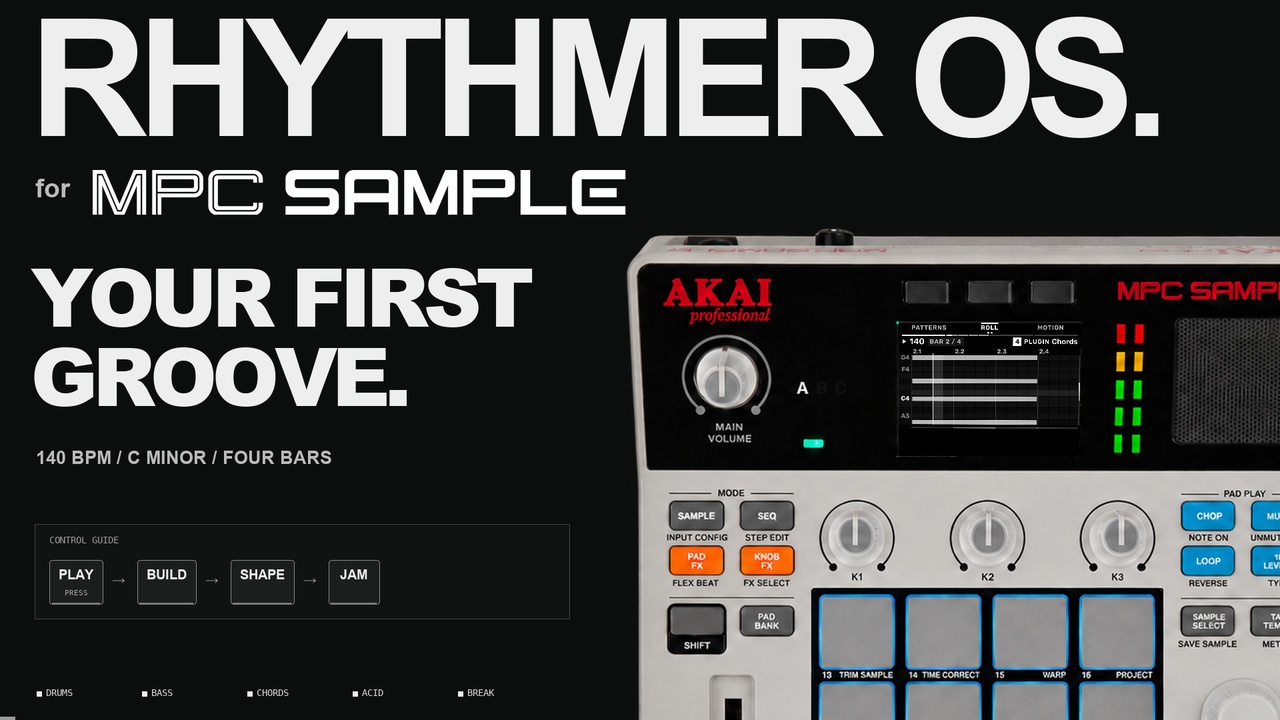
▶ WATCH THE FILM · FOLLOW THE UPDATED GUIDE ↗ · DOWNLOAD THE VIDEO ↗
4 bars · 140 BPM · C minor. The video uses earlier screens; follow the updated 0.2.0 guide for current menu names and controls.
Explore the engines
Twenty-two instrument entries, 36 complete Rhythmer Kits and 2,888 factory sound selections across 27 source views (including kit voices and shared Acid selections). The descriptions below follow the website’s engine collection, with synthesis identities checked against the credited original projects. The descriptions focus on the sound engines and controls available in the MPC Sample ports.
Individual instruments concentrate on one selected sound per track, played chromatically or in scale. Rhythmer Kit brings independently assigned sounds together on sixteen pads. The native Sample Kit remains a separate sampler choice.
Rhythmer Kit
A complete drum instrument, built from different engines.
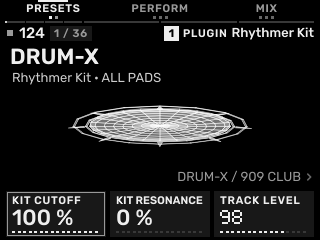
The kit combines sixteen independently assigned sounds on one track. Start with one of 36 complete kit presets, then replace a single pad’s source without rebuilding the other fifteen sounds. The palette draws from DRUM-X, Sophie, Elixir, Hortator, K-WASUB drums and the classic drum packages.
Each pad exposes its source’s sound controls. A separate whole-kit LP/BP/HP filter shapes the combined output, while User Kit presets preserve the pad assignments, edits and kit filter.
Try it for: Complete drum parts, hybrid electronic/acoustic-feeling kits, and changing the character of a groove while keeping its rhythm.
Acid Engine
Hortator ACID and Aphex voices, with a dedicated bassline generator.
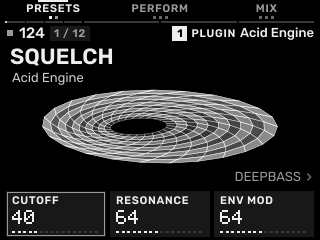
Choose from 12 original presets: four Hortator ACID sounds and eight Aphex sounds — Acid Squelch, Lead Scream, Whistle Lead, Resonant Spike, Acid Seq, Reso Bass, Filter Cry and Techno Pulse. Each selection uses its original DSP and matching filter, envelope, modulation and sound-design controls. Shape a rounded bassline, a resonant lead or a sharper, more driven phrase.
The dedicated Acid Generator creates notes, accents, slides and sustained ties; mutation varies the line. Its density, accent, slide, octave and auto-mutation settings are separate from the sound itself. The random state is internal; there is no Acid SEED knob.
Try it for: Acid techno, house basslines, animated ostinatos and moving filter phrases.
Break Engine
Turn your own loop into a playable break.
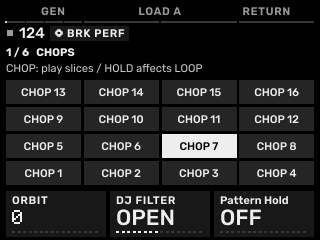
Load a one-, two-, three- or four-bar source and declare its length. The whole loop is split into sixteen equal regions and synchronized to the project tempo. Straight, genre, random, mutate and tail-fill operations create different slice arrangements.
The six-page BRK PERF interface adds held rolls, pitch Up/Down, shrinking/building/stretching, A/B source switching and Return. Performance commands can be recorded into the sequence. Bring your own permitted loop and explore its sixteen equal divisions.
Try it for: Jungle, chopped breaks, rhythmic fills and live rearrangement. No break recordings are bundled.
Sophie
Percussion with metal, feedback and a sculpted tail.
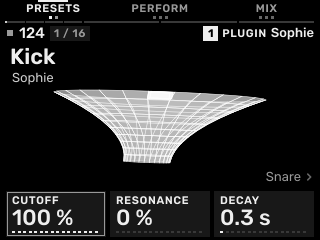
Choose an individual drum sound, then push it toward a tighter hit, a noisier snap or a more metallic ring. Sound-model, tune, color, metal, feedback, sweep, decay, crush and drive controls expose the character of the source instrument.
As an individual engine it plays one selected voice across the track’s note layout. Inside Rhythmer Kit, different Sophie voices can occupy separate pads and be edited independently.
Try it for: Character kicks and snares, metallic accents, synthetic hats and tightly shaped percussion.
Elixir
LXR-derived percussion with a wide tonal range.
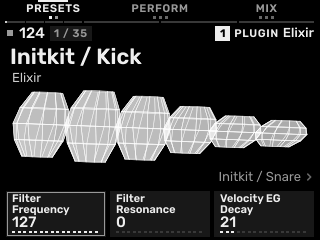
Oscillator, FM, pitch modulation, filters and envelopes let a voice move between solid drum fundamentals and more complex resonant or noisy sounds. The source palette also includes modal, Plaits-related and noise-oriented material.
The release keeps the engine Init state and the identified Rhythmer-authored Dry Circuit, Warm Machine, Bright Logic and Soft Pulse material. External Erica/Hrtl factory banks are excluded. Load one voice as an individual instrument, or combine voices in Rhythmer Kit.
Try it for: Electronic kicks, tuned percussion, hats, harder techno drums and softer rounded drum parts.
Hortator
A broad drum-model collection with TRX and FM character.
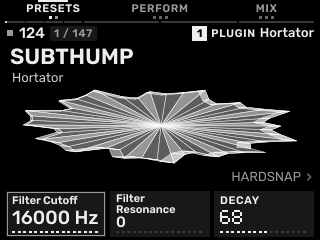
Explore MD-style TRX and EFM models alongside classic drum flavours and less conventional percussion. Choose a model first: its tune, decay, sweep, punch, noise, sub and clip settings reveal that model’s particular character.
Use Hortator alone for one focused playable drum voice, or use its different models across Rhythmer Kit pads. Hortator ACID is also the synthesis source of the separate Acid Engine entry.
Try it for: Punchy drum-machine parts, FM snares and toms, short percussive details and mixed-model kits.
Aphex
An MS-10/MS-20-inspired hybrid mono synth.
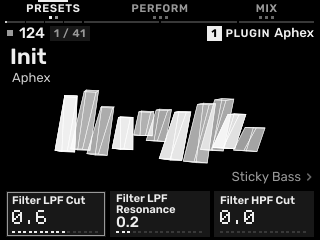
A characterful subtractive voice with resonant low-pass and high-pass filtering, oscillator shaping and modulation-generator controls. The two filter sections make it useful for both weighty bass and narrow, nasal or sharply resonant sounds.
Explore its presets, oscillator settings, filter peaks, modulation, portamento and patch variation controls. Input-dependent source models require an appropriate signal path; choosing a preset alone does not supply external audio.
Try it for: Rubbery bass, acid-like sequences, cutting leads, evolving bleeps and noisy synthetic textures.
FM-106
Juno-106-style subtractive synthesis.
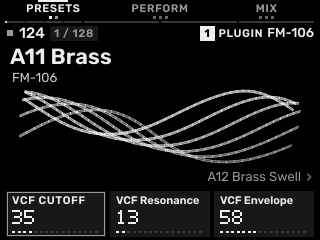
FM-106 combines DCO saw/pulse, pulse-width modulation, sub and noise sources with high-pass filtering, a resonant low-pass filter and an envelope.
Shape the oscillator balance, cutoff, resonance, filter-envelope amount, keyboard tracking, amp envelope and source effects. The original named factory bank is retained, including A11 Brass and A12 Brass Swell.
Try it for: Brass stabs, rounded bass, strings, chord beds and familiar polyphonic synth colours.
FMini-1
Minimoog Model D-style synthesis.
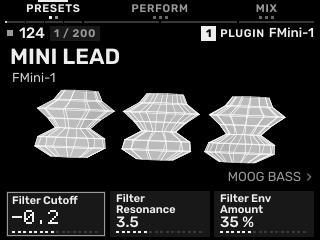
An oscillator-and-filter voice for solid low end and expressive lead lines. Its original oscillator, mixer, filter, envelope, modulation and effects controls are exposed through RHYTHMER’s sound editor.
Start from the original named sounds and adjust the source controls. RHYTHMER supplies the sequencing and project environment around the instrument.
Try it for: Weighty mono bass, singing leads, plucks, arpeggiated figures and warm sustained tones.
CS-1
CS-80-inspired layered synthesis.
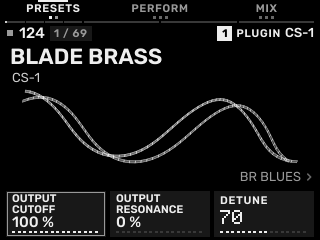
Two synthesis channels provide oscillator shaping, resonant high-pass and low-pass filters, separate envelopes and a sine component. Ring modulation, detuning and performance-oriented shaping extend the voice beyond a simple single-filter subtractive patch.
Explore the original brass, strings, flute-like and cinematic presets, then balance the channels, filter response, envelopes and available effects to fit the arrangement.
Try it for: Expressive brass, broad pads, layered leads, atmospheric chords and cinematic synth parts.
OberVave
Dual-oscillator colour, sync and cross-modulation.
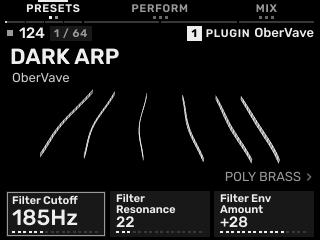
Mix two oscillators, shape pulse width, detune the pair, or use sync and cross-modulation for a stronger harmonic edge. The filter, envelopes and modulation give those raw sources movement.
Chorus, delay and reverb controls belong to the source sound; they are separate from RHYTHMER’s track inserts and send buses. Original named presets provide starting points for both tight and spacious patches.
Try it for: Poly brass, PWM strings, sync leads, detuned bass and bright cross-modulated tones.
K-WASUB
Layered oscillators, sub weight and lo-fi shaping.
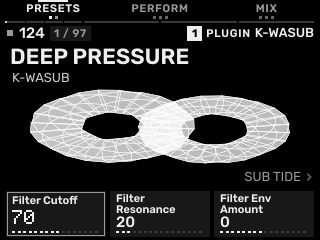
Oscillator A and B, a sub source and noise form the starting palette. Choose their source engines and blend them, then use the modulation matrix, filtering, drive and lo-fi controls to add movement and edge.
The individual plug-in focuses on the selected synthesis sound. K-WASUB’s drum-mode source is also available inside Rhythmer Kit, where it is treated as a pad sound rather than another complete kit track.
Try it for: Deep sub bass, Reese-like movement, gritty low-end parts and textured electronic leads.
Hera
Juno-60-style warmth from the Hera engine.
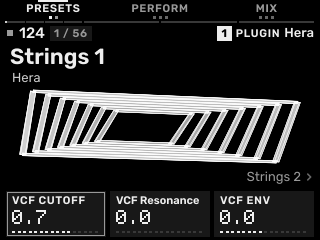
Blend saw, pulse, sub and noise with pulse-width modulation, then shape the result with the VCF and amp response. The DCO/VCF/VCA-style controls make it straightforward to move from a clean foundation to a more animated patch.
The original preset workflow and the ported source controls are retained. Its Juno-60 lineage complements FM-106’s separate Juno-106-inspired implementation; they remain distinct engines.
Try it for: Warm strings, round bass, organs, brass and uncomplicated chord layers.
Braids
A macro oscillator with contrasting synthesis colours.
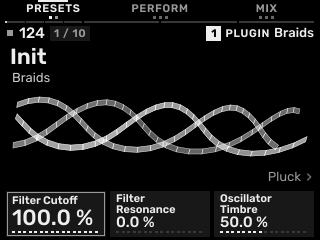
Choose an algorithm, then explore how Timbre and Color change that model’s spectrum and behaviour. A small set of meaningful controls can produce very different results between algorithms.
Amp and filter envelopes, FM amount, cutoff, resonance and filter-envelope controls shape the chosen oscillator into a playable sound. Model selection chooses the synthesis method; presets store a fuller sound configuration.
Try it for: Plucks, digital bass, bells, sharp stabs and unusual tonal or percussive textures.
Plaits
Twenty-four synthesis models, from tonal voices to percussion.
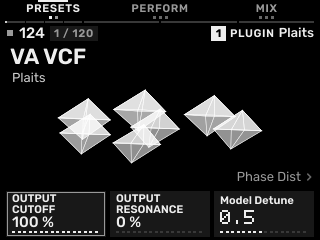
Move between contrasting virtual-analog, phase-distortion, FM and other model families. Timbre, Morph, harmonic shaping and the model-specific controls change meaning with the selected engine.
The port retains the original 24 models and 96 embedded six-operator FM programs, with named FM choices. Envelope/decay, LPG colour, modulation and the added neutral-by-default output filter help fit the sound to a part.
Try it for: Basses, chords, compact digital melodies, resonant textures and tuned percussion.
MONO2K
Monomachine-inspired sound machines.
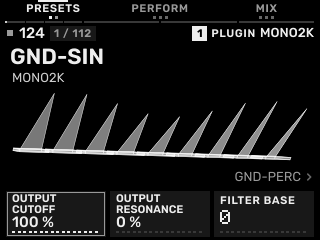
Choose a machine to change the underlying synthesis approach: the source families span ground tones/noise/percussion, SID-like character, FM, superwave and digital/voice-oriented sounds.
Machine-specific parameters sit alongside amp shaping, filtering, effects and three LFO sections. The selected machine runs as an instrument on a RHYTHMER track, using the OS sequencer and project storage.
Try it for: Electronic bass, bright digital melodies, synthetic percussion, chiptune-like edges and modulated textures.
Prophet
Polyphonic subtractive shaping with Poly-Mod.
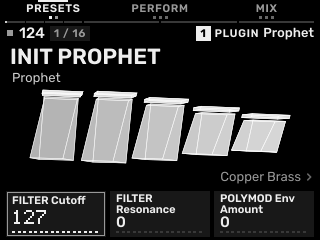
Oscillator, mixer, filter and envelope sections form the core, with Poly-Mod providing a route to more complex oscillator/filter movement. It can stay rounded and musical or become brighter and more animated.
The included selection is Init plus 15 identified Rhythmer-authored sounds. External Sequential factory patch data is not bundled. Sound edits remain reusable through User Sound presets and project saving.
Try it for: Chord stabs, polyphonic pads, bass, sync-like leads and evolving harmonic parts.
S1Vave
SH-101/S-1-inspired virtual-analog shaping.
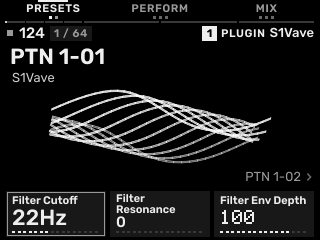
A saw/pulse oscillator, sub-oscillator and noise feed a resonant filter and envelope. PWM, modulation, glide and the source’s oscillator-shaping controls offer movement while keeping a direct subtractive-synth foundation.
The port keeps S1Vave separate from OberVave even where they share ancestry. Its own source controls and original presets define the instrument’s character inside the common RHYTHMER interface.
Try it for: Focused basslines, compact leads, plucks, animated arpeggios and pulse-based textures.
Dexed
Six-operator FM with a deeper patch vocabulary.
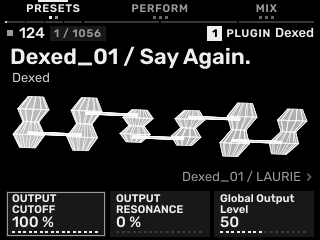
Operator levels, ratios, envelopes and their routing shape the harmonic result. Small changes can move a patch from a clean fundamental to a bright, metallic or complex spectrum.
The port uses the Dexed/MSFA lineage and its preset workflow. RHYTHMER also provides a neutral-by-default output filter for shaping the complete engine output without replacing the source’s original FM controls.
Try it for: Electric-piano-like tones, bells, glassy keys, FM bass and metallic or evolving patches.
Guru-600
Prophet-600-inspired synthesis.
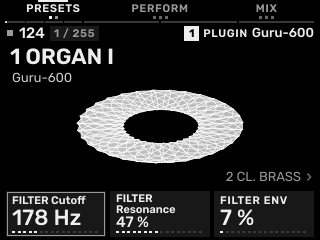
Two oscillators per voice, sync, a resonant filter with its own envelope, Poly-Mod and an LFO provide a classic subtractive starting point with room for stronger harmonic interaction.
The original named sound selection and available synth/effects controls are exposed in RHYTHMER’s editor. Guru-600 and Prophet remain separate ports, with separate source histories and preset policies.
Try it for: Brass and chord stabs, pads, bass, sync leads and Poly-Mod textures.
Frodhes
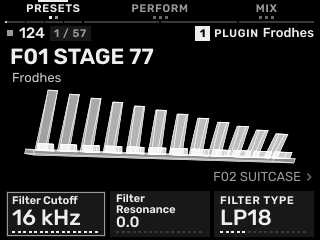
Electric pianos and struck-bar instruments, calculated as you play.
Four electric-piano models, vibraphone and marimba respond to velocity through the original physical-model synthesis. The port retains the original 57-program selection and source sound-design controls.
Try it for: Warm chords, electric-piano grooves, rounded mallet melodies and more forceful, velocity-driven accents.
Tenebrae
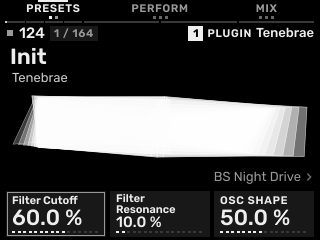
Eight oscillator models with a darker, moving character.
Saw, pulse, hard sync, FM, bell, wavetable, formant and pitch-drop models feed the original filter, modulation and effects. The original Init plus 163 named programs are retained.
Try it for: Driven bass, drifting pads, evolving leads, bells and textured electronic phrases.
The drum palette inside Rhythmer Kit
DRUM-X, K-WASUB drum mode, 6W6, 8W8, 9W9, CW-78 and TR-MPC are kit-only sources. Sophie, Elixir and Hortator are available both as individual instruments and as kit-pad sources. The classic families cover 606-, 808-, 909- and CR-78-style drum colours without filling the main instrument list with kit-only duplicates.
Choose one of 36 complete kits, replace only the pads you want to change, then store the result as a User Kit. Native source effects, the whole-kit filter and the OS mixer/effects each have a separate role. Kit and sound guide.
From a sound to a groove
GEN can assign a kit and three complementary melodic roles to a chosen four-track group, or write MIDI for a range or a single track while keeping its instruments. A separate Chord GEN adds genre-based progressions, voicings and Block, Arp or Strum playing, following the project key/scale or a local override. Existing single-track generation remains available; Acid and Break retain their dedicated generators and performance workflows. The Melodee foundation supplies patterns, sequences, song arrangement, Freeze, mixing, effects, MIDI and USB features.
Save sounds for reuse. Save projects for the music. User Sound and User Kit presets keep instrument/kit settings; project saving preserves the surrounding tracks, patterns and arrangement. Save/load instructions · First pattern.
Install the beta
Use the complete SD ZIP from the installation page. It includes the app, plug-ins, kits, preset catalogue and current guides. Check the matching SHA-256 before copying the contents to the card root.
Target: MPC Sample AC50 with stock firmware 1.3.0.12. Back up the entire card first. UPDATE.zip is app-only, not a first-install package. SOURCE, MOVE-SOURCE and SUPPORT-SOURCE contain corresponding source, not installers.
Installation / stock-app recovery · Release files and notes
Source, credits and contributing
This repository contains the OS integration, runtime and corresponding port sources. The engine-port repository provides the engine-focused view. To rebuild, start with BUILD.md and the matching SOURCE / MOVE-SOURCE / SUPPORT-SOURCE archives.
Original engine names, licences and author credits are preserved. The catalogue has 2,845 retained original selections and 43 identified Rhythmer-authored selections. External Sequential / Erica / Hrtl banks are excluded. Original preset provenance · Rhythmer presets.
Built on Melodee by Kerem Kiliç (Ellic Studio) and contributors, with instruments and tools by their credited authors. Full third-party notices · Component licences · Project licence.
This independent, unofficial project is not affiliated with or endorsed by AKAI Professional or inMusic. Product names and logos belong to their owners. Provided without warranty under the applicable licences.
If you find a problem, open an issue with the engine/preset, track type, exact button sequence and expected/actual result. Avoid uploading private projects or recordings without permission.
Follow & support
Instagram · YouTube · Patreon · Leave a tip
In search of feel-good rhythms.
Recent releases
-
Release notes
RHYTHMER OS 0.2.0
New sounds. Better flow.
More sounds to explore, more direct editing, and a smoother path from your first note to a finished groove.
RHYTHMER OS 0.2.0 brings two new instruments, an updated FMini-1, refined Rhythmer Kit editing, and improvements throughout the track, Acid and Break workflows. Built for exploring Jungle, Techno, House and IDM on your MPC Sample.
Meet your new instruments
- Frodhes: expressive electric pianos, vibraphone and marimba, with 57 original factory programs.
- Tenebrae: eight oscillator models spanning basses, leads, pads, keys and more, with 164 programs including Init.
- FMini-1: updated to the original 2.6.0 engine, with revised filter response, contour shaping and optimizations, retaining its 200 original factory presets.
Start a track. Change direction.
TRACK SETUP brings instrument replacement, track types, MPC kit loading and track deletion into one visible menu. Change an instrument or track type while keeping your patterns; delete a track through its separate confirmation.
Press the encoder on an engine-less track to choose its type. On a Sample Kit, pressing it on an empty pad opens sample loading for that pad, including when the whole kit is empty. On-screen hints show the next step.
Change instruments directly from the preset list. Switch tracks while browsing and the screen follows the selected track. Preset browsing wraps from the last sound back to the first, in both directions.
B2 SENDS stays visible in BASIC. Its confirmation can enable FULL and open SENDS directly, or cancel without changing modes. Existing repeat-rate, MOVE/COPY and back controls retain their priority.
Find a break. Keep the groove.
Browse loops with ORIGINAL or tempo-synchronised SYNC audition before loading them. Replacing a source preserves your existing patterns and performance settings, with clear confirmation when changing the source's bar count.
BREAK GEN and BRK PERF have clearer entry, return and loading controls. Pattern Hold, CHOP, LOOP and STRETCH have more explicit operating hints, while Variation and Stretch feedback show when the performance actions are active.
Loop audition remains separate from the track's musical state, so you can explore another source while keeping your current groove intact.
Your pad. Your sound.
Rhythmer Kit's EDIT list starts with the selected pad's native Volume, followed by its supported Pan, Tune or Decay controls. Related parameters stay together in rows of three, with the whole-kit filter on the next row.
P01–P16 labels identify the pad you are editing; ALL PADS identifies the kit-wide filter. The 36 complete sixteen-pad factory kits retain their mixed-engine flexibility, pad-source replacement and User Kit saving.
Mute individual Rhythmer Kit pads with MUTE + pad, solo a pad with SHIFT + pad in mute mode, and clear project mutes with SHIFT + MUTE. Pad LEDs show the state, which is kept in the project without changing the kit's sound settings. TRACKS retains whole-track mute. Existing release and effect tails decay naturally.
Shape it. Save it. Come back to it.
Parameter names and ordering are refined across oscillator, filter, envelope, LFO, modulation and effects controls. Source, Destination and Amount stay together, and named choices make settings such as Key Tracking and Polarity easier to read.
Open SAVE SOUND or PAD SOURCE from EDIT, save to one of 64 User Sound or User Kit slots, and reload your sounds from the preset list—even in another project. Save the project separately to keep its patterns and arrangement.
Save where you choose
First SAVE and SAVE AS let you choose a folder and name. Further SAVE presses update that file. Opening another project or starting NEW offers SAVE, DISCARD or CANCEL instead of automatically overwriting your manual save.
Idle autosave updates one separate recovery entry per project under Rhythmer/Autosave. On the Project home screen, SHIFT + B3 RECOVERY opens the list; load a recovered copy and SAVE it deliberately.
Build a chord progression
CHORD GEN is a separate instrument-track generator alongside the existing GENERATE Tn / MUTATE Tn workflow. Choose a genre, progression family, 1–8 chord changes and 1–16 bars; adjust rhythmic density, chord complexity, energy, voicing and register, then play the result as Block chords, an arpeggio or a strum.
It follows the project's key and scale by default. Local overrides affect only the generated part. Jazz and neo-soul profiles add extended harmony and voice leading. NEW CHORDS chooses another progression; MUTATE CHORDS keeps the progression while varying articulation. Generation keeps the instrument and other tracks, with Undo/Redo.
Rhythmer Kit retains genre-based drum generation; Acid and Break keep their dedicated generators. The illustrated manual and First Groove guide explain which command to use and how to return from each page.
Acid, ready to play
Acid GEN keeps its NEW/MUTATE generation behavior while presenting its musical settings across two pages, without exposed seed controls.
Eight original Aphex choices join the Hortator Acid palette: Acid Squelch, Lead Scream, Whistle Lead, Resonant Spike, Acid Seq, Reso Bass, Filter Cry and Techno Pulse. Their native sound controls remain available for editing.
Refinements
A steadier external MIDI BPM display keeps whole-number tempos clean while retaining meaningful fractional readings. The actual sync algorithm is unchanged. Rhythmer Kit animation flows across pad changes, and contextual Note Repeat and ARP controls remain available.
Fixes
- Preset loading, parameter mapping, pad labels and state restoration.
- Track navigation, Back, confirmation, loading cancellation and Undo/Redo.
- Break playback, performance controls and held-command handling.
- User Sound/User Kit saving and error feedback.
Make your first groove
The manual and Your first groove with RHYTHMER OS. guide cover the current navigation, track types, sound saving, independent Chord GEN and the Break workflow, with visual controls and step-by-step instructions.
Download & Installation · Manual · Your first groove
RHYTHMER OS remains early beta software. Back up your SD card before installing, follow the installation guide, and keep sharing what feels good and what could work better.
Built on Melodee by Kerem Kiliç / Ellic Studio, with thanks to the original engine developers and open-source contributors. Original authorship, licenses and credits are retained.
RHYTHMER OS — by Jazzy Rhythmer
In search of feel-good rhythms.
-
Release notes
RHYTHMER OS for MPC Sample — 0.2.0-beta.3.
The release version is 0.2.0-beta.3. Use the full SD ZIP for installation; it includes the app and matching preset catalogue. Back up your card and preserve your own projects, presets and recordings. A same-version UPDATE is not automatically offered by the native updater.
Workflow
- On native Sample Kit SOUND/TRIM, encoder Push opens TRACK TYPE if all 128 pads and layers are empty. SAMPLE KIT starts first-sample loading. If other pads contain samples, Push opens SAMPLES for the selected empty pad. Screen hints show both routes.
- Loaded/layered pads, other editors, recording/Freeze guards, Break loop entry and contextual Note Repeat controls keep their existing jobs. Shift + Push cancels the browser; B1 goes up folders or exits at the root. Sample load Undo preserves other pads.
- Preset lists and main PRESETS browsing wrap in both directions using the encoder or Minus/Plus. Folder lists wrap within the current folder. User Sound/User Kit remain included; absolute pot selection and existing load timing are unchanged.
Acid Engine
The four original Hortator Acid sounds are retained. Eight unmodified Aphex factory choices are also available: Acid Squelch, Lead Scream, Whistle Lead, Resonant Spike, Acid Seq, Reso Bass, Filter Cry and Techno Pulse. They use the original Aphex DSP, native filters and source edit parameters. Source identity and edits persist in projects and User Sound; Rhythmer Kit pad source/restore is also covered.
Validation
ARM64 build; 19 runtime unit tests; 290 track/input/navigation assertions; GEN/Acid/Break integration; audio self-test; 36,000 random surface moves; 430 UI previews with no text issues. Host regressions cover single instruments, 36 kits, engine/kit filters and 4,587 control round trips. All eight aliases match original Aphex control values and pass five-note output, project/User Sound and pad-source restore checks under ASan/UBSan for the host code. Original native DSP libraries are unchanged and not all are sanitizer-instrumented. Signed-update identity and tamper checks pass.
This is early beta software. No break recordings are bundled.
Download & installation · Manual · Your first groove
Based on Melodee by Kerem Kiliç (Ellic Studio) and the credited open-source engine projects. SOURCE, MOVE-SOURCE and SUPPORT-SOURCE provide corresponding source and notices.
-
Release notes
RHYTHMER OS for MPC Sample — 0.2.0-beta.3 / Break workflow hotfix.2.
The release version is 0.2.0-beta.3. This separate release record identifies the matching installation files and corresponding source. The Sound / Kit save hotfix is included.
Break: load, find the controls, play
- Loading or reloading source A makes a straight sixteen-chop pattern and stays in BREAK GEN, with BRK PERF selected. Push / B3 OPEN enters the performance pages.
- While decoding, B1 CANCEL or SHIFT + encoder Push cancels track assignment. Other generator actions and knob cards wait until loading finishes. A cached decoded file may remain; a cancelled request cannot replace the track.
- Source A/B completion does not reopen a dismissed menu or pull you away from another track. Replacing/deleting the target track continues to invalidate pending loads.
- Reopen controls from the Break track: SEQ / PATTERNS → SHIFT + B3 GEN → BREAK GEN → BRK PERF. In BRK PERF, B1 GEN returns to BREAK GEN. BACK / Shift + Push returns to main GEN, then closes it.
- Pattern Hold replaces the misleading LOOP HOLD label. It holds the internal generated pattern in LOOP mode, not audio sustain or track Freeze. The stored parameter and DSP behavior are unchanged. CHOP mode and zero variation can make the difference inaudible.
- Grain / Splice / Slow explicitly describe stretched hits. With playback running, hold Pad 3 STRETCH on ROLLS, keep it held while paging to GRAIN, adjust the controls and release; recorded STRETCH works too. Pattern Hold is not required.
- Rejected/undecodable files return to the owned browser for retry without replacing the previous instrument. A track frozen during decoding cancels assignment without a late Unfreeze dialog.
- All six pages have clearer operating hints. SOURCE B requires a loaded B file; TRACK MIX changes the track mix rather than generating a pattern. RETURN clears Variation/Drift while keeping the selected A/B source.
- General GEN also saves the Acid RNG stream with its Undo/Redo operation, keeping the generated notes and random state together. The generation algorithm and seed policy are unchanged.
Install and learn
Use the full SD ZIP, verify its SHA-256 and back up the entire card first. The signed UPDATE ZIP is app-only and is not a first-install package; the native updater may not offer a same-version hotfix. Target: MPC Sample AC50 / stock firmware 1.3.0.12. No break recordings are bundled.
Download & installation · Break navigation and six-page guide · Your first groove
The written manual and first-groove guide now match this hotfix. The existing tutorial film predates the load/menu change; its music and edited arrangement remain examples. Follow the current written navigation when screens differ. Random generation does not reproduce the edited example exactly.
Validation scope
Software checks cover cancellation, A/B async ownership, current-track navigation, Undo/Redo, project save/reload, held STRETCH release after paging, CHOP/LOOP pattern hold, grain processing, existing track workflows, runtime tests, audio self-test, random surface inputs and native UI text/layout. Exact results and source identity are recorded in the validation receipt. Current software results: 19 runtime tests, 161 track-workflow assertions, three final fresh-process GEN/Acid/Break passes, 430 standard UI states with zero reported text issues, 12 × 3,000 random surface inputs, 16 original roll commands and 2,400 Acid reference cases. All 41 plug-in binaries and eight sample files are unchanged. Engine DSP, preset banks and serialized control IDs remain unchanged from the prior reviewed hotfix. Signatures, archive checksums and corresponding-source files are checked before publication.
**
Built on Melodee by Kerem Kiliç (Ellic Studio) and the work of the credited engine authors. Porting, integration and additions by jazzy rhythmer. Original licences and credits are retained in the repositories and corresponding SOURCE / MOVE-SOURCE / SUPPORT-SOURCE archives.
Published source commit:
fe3c15879686fea7ee0ce59515b2edbfc9a70b31.