MPC Sample Draw Handler
A display add-on that lets MPC Sample plugins and add-ons draw their own full-screen pages, switching screen ownership between them and the stock app.
Screenshots (2)
Images: from jacob-sabella/mpc-addin-sample-draw-handler
About
mpc-addin-sample-draw-handler
An addin for the MPC Sample that owns the screen on behalf of the plugins and addins that draw on it. MPC's own UI on the Sample has no plugin page, so a plugin built for it can draw a full-screen page of its own: the addin decides which plugin may draw and puts its pixels on the panel.
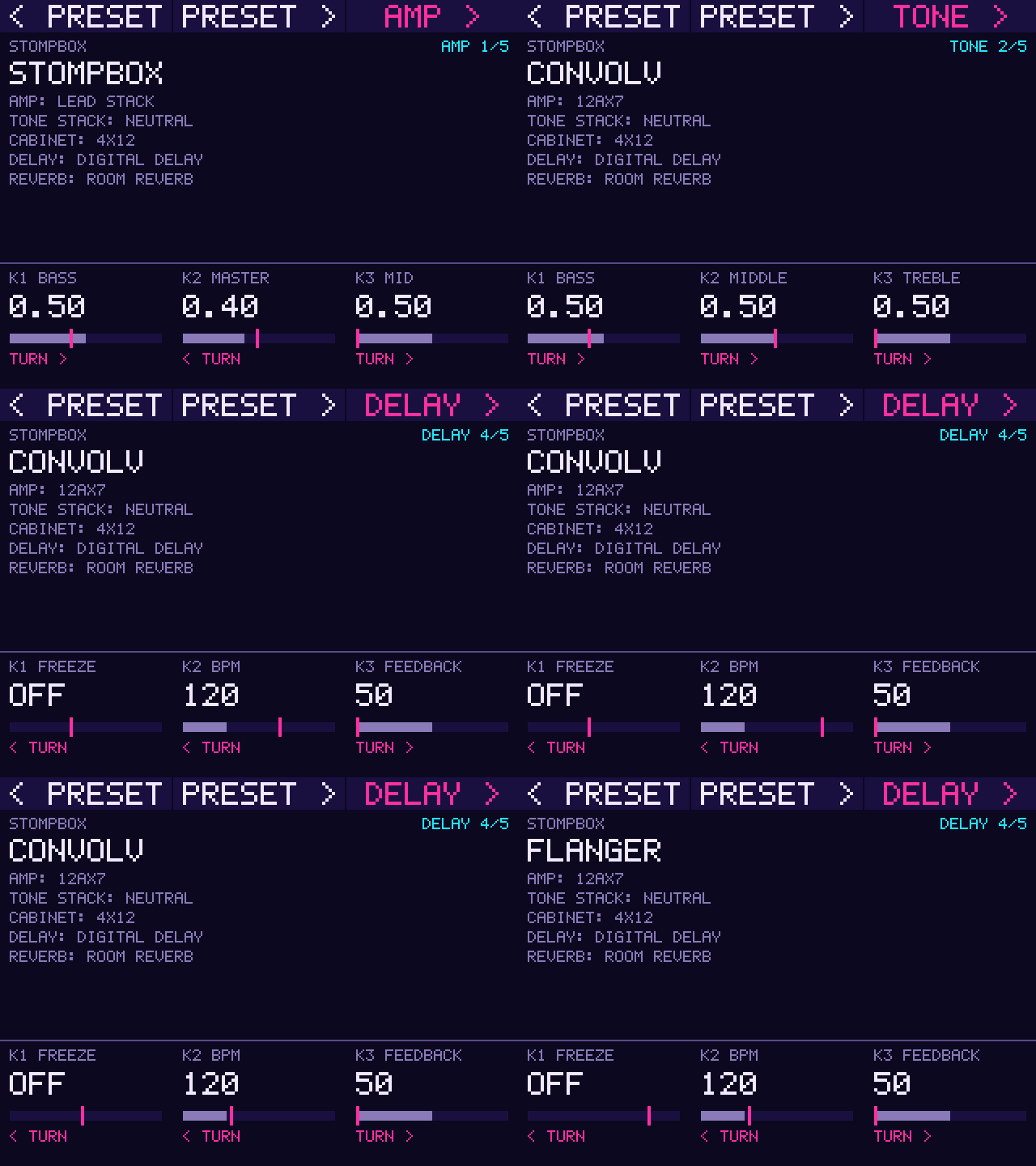
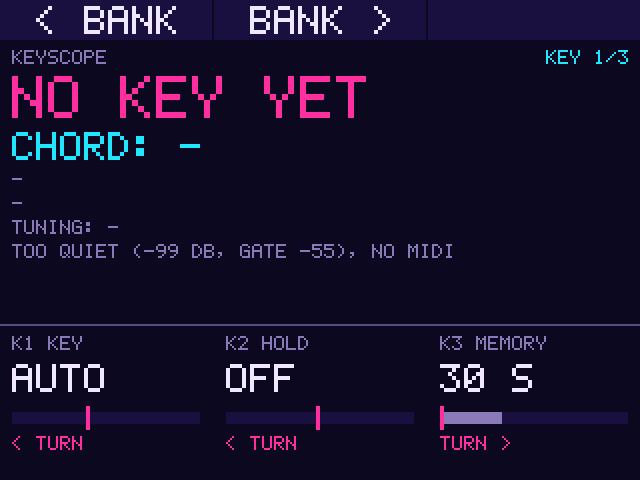
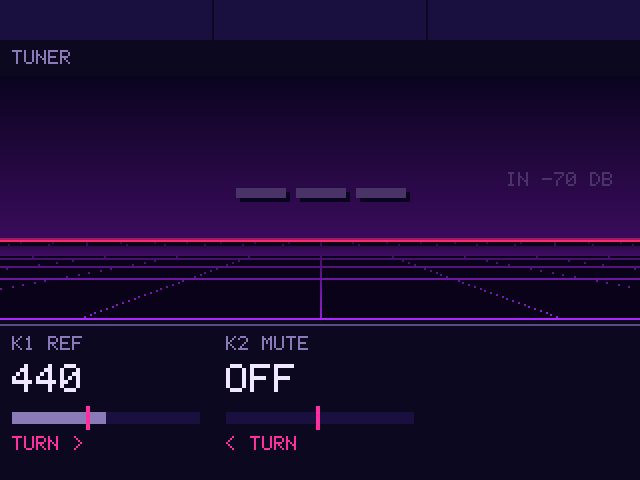
The pages above were captured on an MPC Sample with /snap while /input drove the dial, the buttons and the knobs.
- One owner at a time, the last to ask. A plugin or another addin opens a client, draws into its own 320x240 layer and asks for the screen. It gets the whole screen at once (a previous owner is told it lost it) and keeps it until it releases it, when its page closes. Then MPC's screen comes back as MPC last drew it. Nothing is handed over by itself.
- No link dependency. The interface is
src/mpc_sample_draw.h; a plugin looks upmpc_sample_draw_apiwithdlsym, so it still loads where the addin isn't installed. The drawing side for plugins lives in mpc-vst-plugins' wrapper. - How: the addin wraps
ioctlin MPC. MPC double-buffers and page-flips when its UI changes; on each flip the addin saves MPC's new frame and paints the owner's layer over it. A client'spresent()copies its rectangle onto the screen and refreshes it on MPC's display fd (only the DRM master may). See mpc-vst-plugins docs/NOTES.md, 2026-11-04. - Control (on the device,
127.0.0.1:6740by default; from a computerssh -L 6740:127.0.0.1:6740 root@<device>):/status,/grant?id=N,/release,/cycle,/test?on=1|0(a built-in test pattern),/input?key=K|dial=N|knob=K&value=V(an event for the client with the screen, as if from the device) and/snap(the screen as shown: 320x240 pixels, 4 bytes each, 0x00RRGGBB little-endian, row-major), for checking pages without touching the device. - Page button: a long hold (800 ms) of PAD FX opens the home page (
page_home, defaultRACK, the sample-rack addin's manager) and closes it again; a page the home page opened (show()) goes back to it. Without the home page open, or withpage_home=-, it cycles: MPC, then each client in the order it opened, then MPC. A short press stays MPC's. The hold never reaches MPC; a short press does, when the button is let go.page_note,page_hold_ms,log_buttonsin the settings.
Only starts in the MPC Sample's process (/usr/bin/MPC Sample). Settings: mpc_sample_draw_handler.conf next to the
library (enabled, bind, port).
Build and test: tests/test.sh (host, ASan/UBSan, a file as the framebuffer), ./build-aarch64.sh, then
tools/release-aarch64.sh <version> (needs mpc-vst-plugins beside this repo). Install with the zip's install.sh.
Known gaps (0.1.0): MPC's pixels that a client's present() overwrites before MPC's next flip are not in the saved frame,
so after release they show the owner's pixels until MPC redraws them. Like every addin on the Sample, it is loaded through
a drop-in in /run and is gone after a reboot until that is solved.
Recent releases
-
Release notes
Owns the MPC Sample's screen for plugins that draw on it: the last plugin to ask gets the whole screen until it gives it back.
Requirements
- A Gen2 MPC OS standalone device (aarch64: Live III, One G2, Key(s) G2). The installer refuses anything else.
- Root shell access (SSH) to the device. Stock MPC OS doesn't offer this; you need a modded unit.
- Installing addins this way is unofficial: back up first, use at your own risk.
Install
- Unzip, then copy the whole folder to the device, e.g.
scp -r MPC-Sample-draw-handler-addin-1.0.1 root@<device-ip>:/tmp/ - Run it:
ssh root@<device-ip> sh /tmp/MPC-Sample-draw-handler-addin-1.0.1/install.sh
The installer copies the addin into
/data/mpc-addins/sample-draw-handler/, addsmpc_sample_draw_handler.soto theLD_PRELOADlist of MPC's service and restarts MPC (save your project first). The list is extended, never replaced: other addins and the libraries the firmware preloads stay. Where no writable file sets the list (the unit is on the read-only root), one drop-in shared by every addin sets it,/etc/systemd/system/<service>.service.d/90-mpc-addins.conf. Re-run the installer after a firmware update.-yskips the question,-nleaves the restart to you.Settings are in
/data/mpc-addins/sample-draw-handler/mpc_sample_draw_handler.conf; an upgrade keeps your edits.On the MPC Sample it now owns the screen for plugins and addins that draw on it; a long hold of PAD FX cycles their pages. Control (on the device): http://127.0.0.1:6740/status, /test?on=1 shows a test pattern, /release gives MPC its screen back. From a computer: ssh -L 6740:127.0.0.1:6740 root@.
Uninstalling and the file list are in
INSTALL.mdinside the zip.Changes in 1.0.1
- After a page gave the screen back, parts of it could stay on the glass under MPC's waveform. MPC double-buffers its screen and redraws only what changed, so each framebuffer now keeps its own copy of MPC's pixels (seen on an MPC Sample, 2026-11-06).
Built from jacob-sabella/mpc-addin-sample-draw-handler@c7f3960 with mpc-vst-plugins (tools/release-aarch64.sh). Tested on an MPC Sample (firmware 1.3.0.12) on 2026-11-06.
-
Release notes
Owns the MPC Sample's screen for plugins that draw on it: the last plugin to ask gets the whole screen until it gives it back.
Requirements
- A Gen2 MPC OS standalone device (aarch64: Live III, One G2, Key(s) G2). The installer refuses anything else.
- Root shell access (SSH) to the device. Stock MPC OS doesn't offer this; you need a modded unit.
- Installing addins this way is unofficial: back up first, use at your own risk.
Install
- Unzip, then copy the whole folder to the device, e.g.
scp -r MPC-Sample-draw-handler-addin-1.0.0 root@<device-ip>:/tmp/ - Run it:
ssh root@<device-ip> sh /tmp/MPC-Sample-draw-handler-addin-1.0.0/install.sh
The installer copies the addin into
/data/mpc-addins/sample-draw-handler/, addsmpc_sample_draw_handler.soto theLD_PRELOADlist of MPC's service and restarts MPC (save your project first). The list is extended, never replaced: other addins and the libraries the firmware preloads stay. Where no writable file sets the list (the unit is on the read-only root), one drop-in shared by every addin sets it,/etc/systemd/system/<service>.service.d/90-mpc-addins.conf. Re-run the installer after a firmware update.-yskips the question,-nleaves the restart to you.Settings are in
/data/mpc-addins/sample-draw-handler/mpc_sample_draw_handler.conf; an upgrade keeps your edits.On the MPC Sample it now owns the screen for plugins and addins that draw on it; a long hold of PAD FX cycles their pages. Control (on the device): http://127.0.0.1:6740/status, /test?on=1 shows a test pattern, /release gives MPC its screen back. From a computer: ssh -L 6740:127.0.0.1:6740 root@.
Uninstalling and the file list are in
INSTALL.mdinside the zip.
Built from jacob-sabella/mpc-addin-sample-draw-handler@fa9cb24 with mpc-vst-plugins (tools/release-aarch64.sh). The same code as 0.6.0, tested on an MPC Sample on 2026-11-05.
-
Release notes
Owns the MPC Sample's screen for plugins that draw on it: the last plugin to ask gets the whole screen until it gives it back.
Requirements
- A Gen2 MPC OS standalone device (aarch64: Live III, One G2, Key(s) G2). The installer refuses anything else.
- Root shell access (SSH) to the device. Stock MPC OS doesn't offer this; you need a modded unit.
- Installing addins this way is unofficial: back up first, use at your own risk.
Install
- Unzip, then copy the whole folder to the device, e.g.
scp -r MPC-Sample-draw-handler-addin-0.6.0 root@<device-ip>:/tmp/ - Run it:
ssh root@<device-ip> sh /tmp/MPC-Sample-draw-handler-addin-0.6.0/install.sh
The installer copies the addin into
/data/mpc-addins/sample-draw-handler/, addsmpc_sample_draw_handler.soto theLD_PRELOADlist of MPC's service and restarts MPC (save your project first). The list is extended, never replaced: other addins and the libraries the firmware preloads stay. Where no writable file sets the list (the unit is on the read-only root), one drop-in shared by every addin sets it,/etc/systemd/system/<service>.service.d/90-mpc-addins.conf. Re-run the installer after a firmware update.-yskips the question,-nleaves the restart to you.Settings are in
/data/mpc-addins/sample-draw-handler/mpc_sample_draw_handler.conf; an upgrade keeps your edits.On the MPC Sample it now owns the screen for plugins and addins that draw on it; a long hold of PAD FX cycles their pages. Control (on the device): http://127.0.0.1:6740/status, /test?on=1 shows a test pattern, /release gives MPC its screen back. From a computer: ssh -L 6740:127.0.0.1:6740 root@.
Uninstalling and the file list are in
INSTALL.mdinside the zip.
Built from jacob-sabella/mpc-addin-sample-draw-handler@3db0a76 with mpc-vst-plugins@9aab04f (tools/release-aarch64.sh). Tested on an MPC Sample on 2026-11-05.