MPC Sample Rack
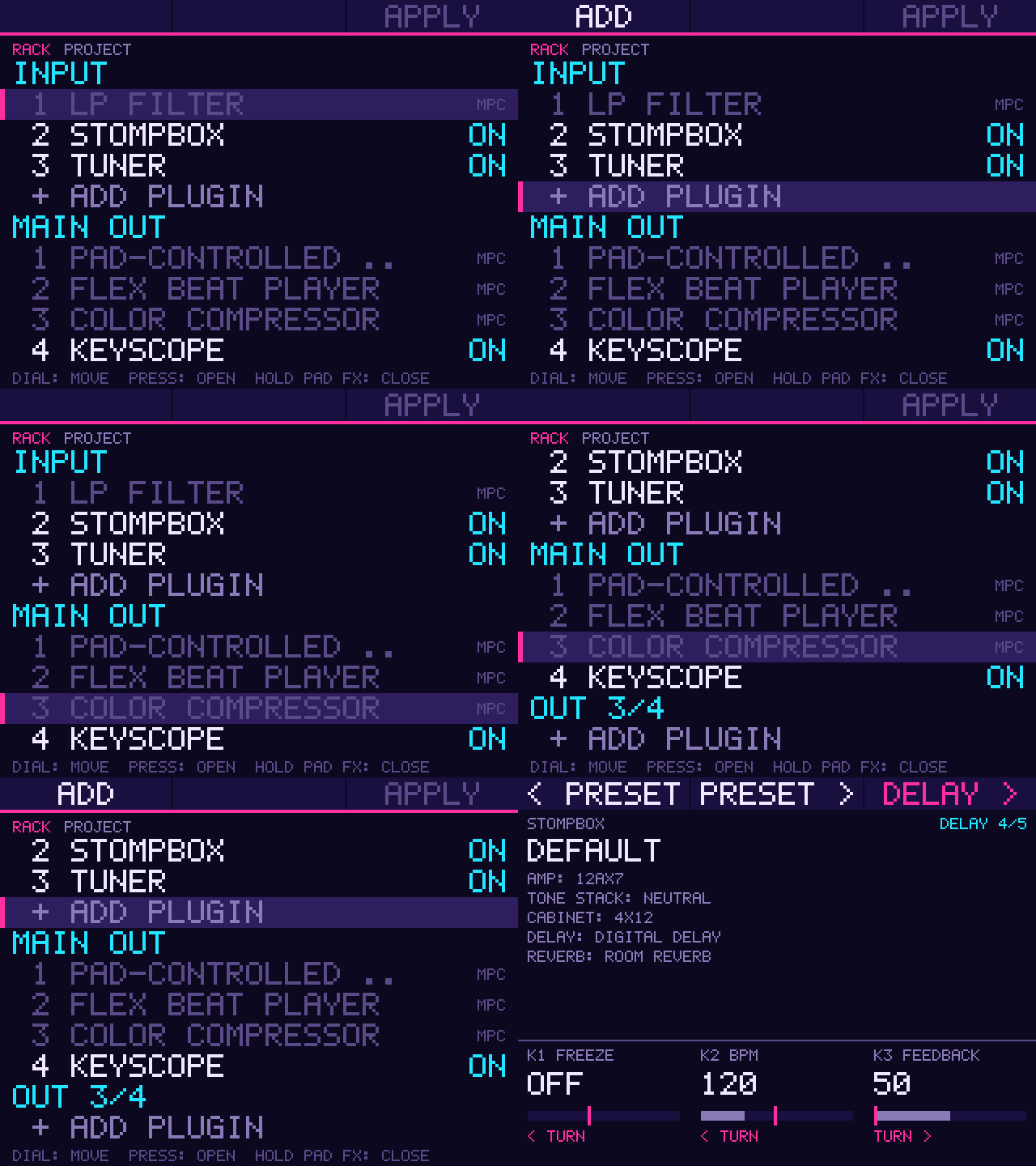
An add-in that adds a RACK page for adding, removing and switching off the insert plugins in a project. Open it with a long hold of PAD FX.
Screenshots (1)
Images: from jacob-sabella/mpc-addin-sample-rack
About
mpc-addin-sample-rack
An addin for the MPC Sample that manages the plugins in a project's inserts. The Sample has no screen for adding or removing a plugin, and it can't load or unload one in a running project, so this addin edits the project for it.
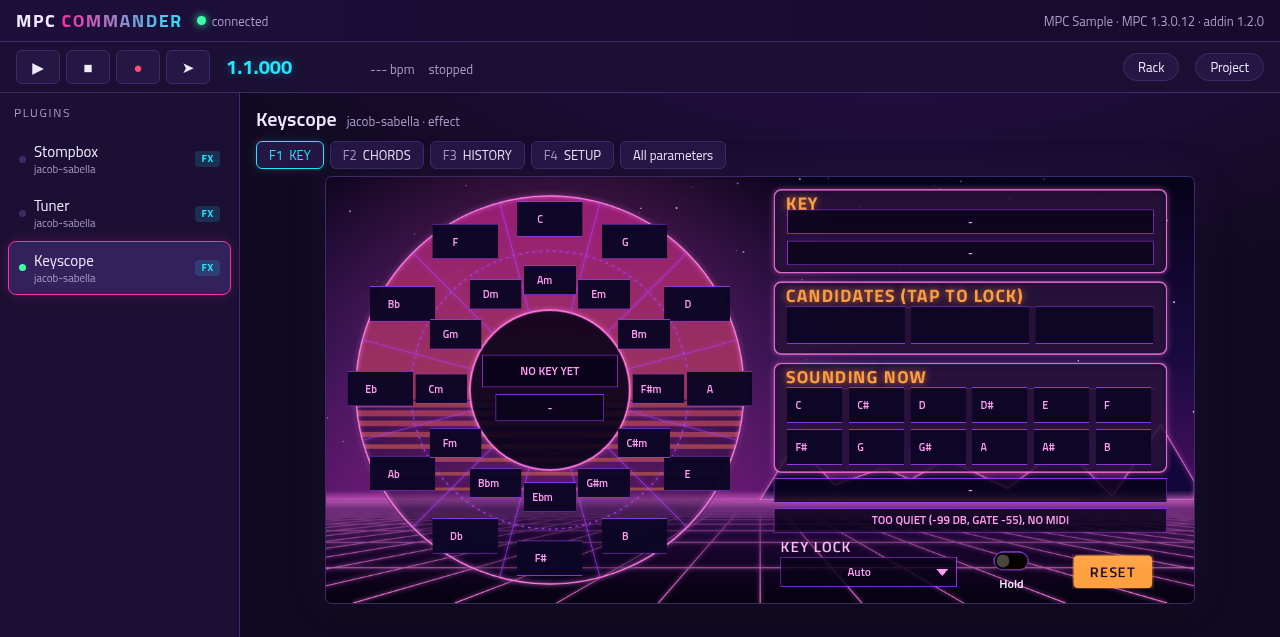
In mpc-addin-commander's browser UI (the same rack, through src/bridge.c), with the plugins' panels beside it:
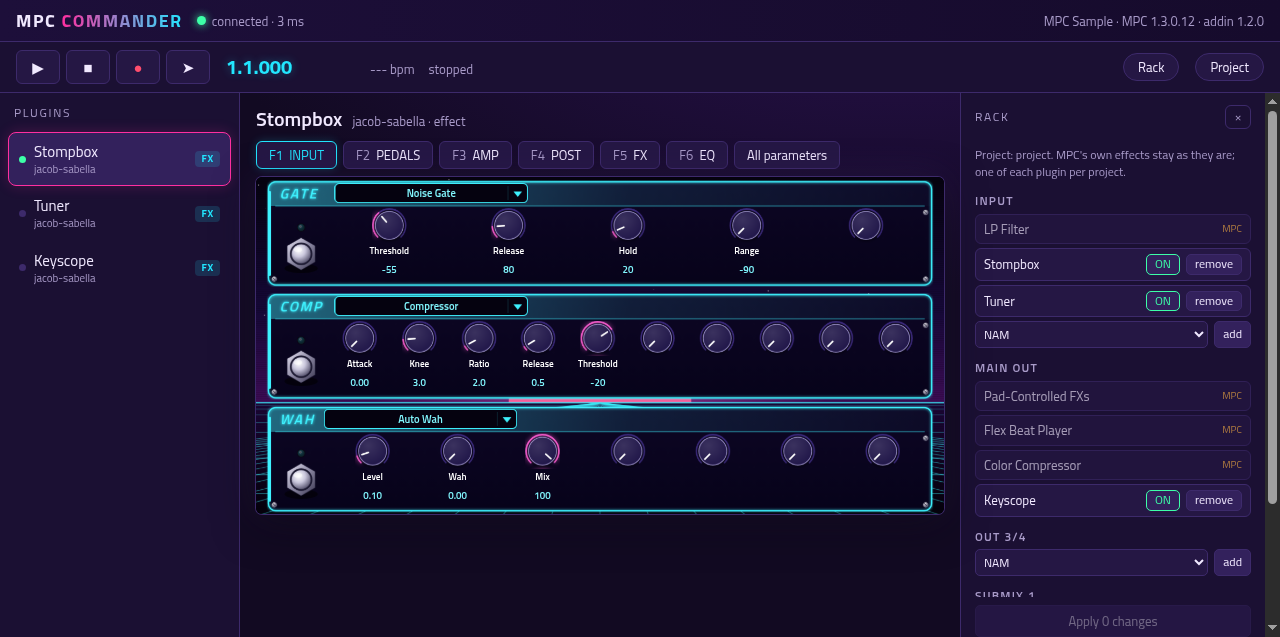
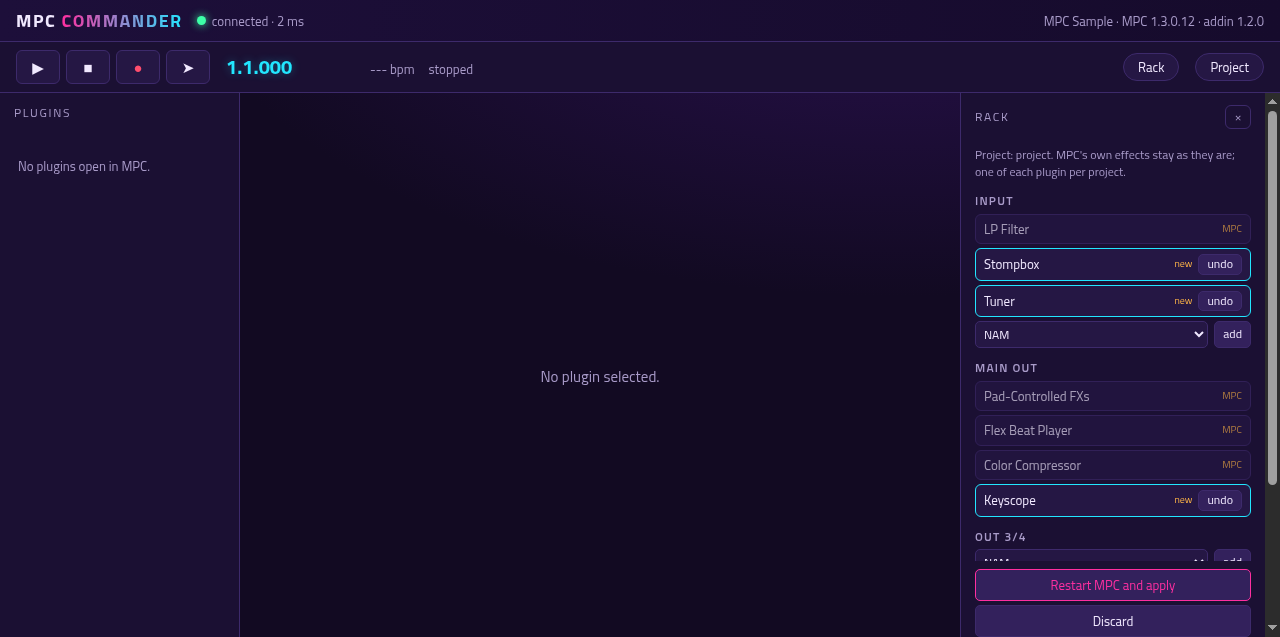
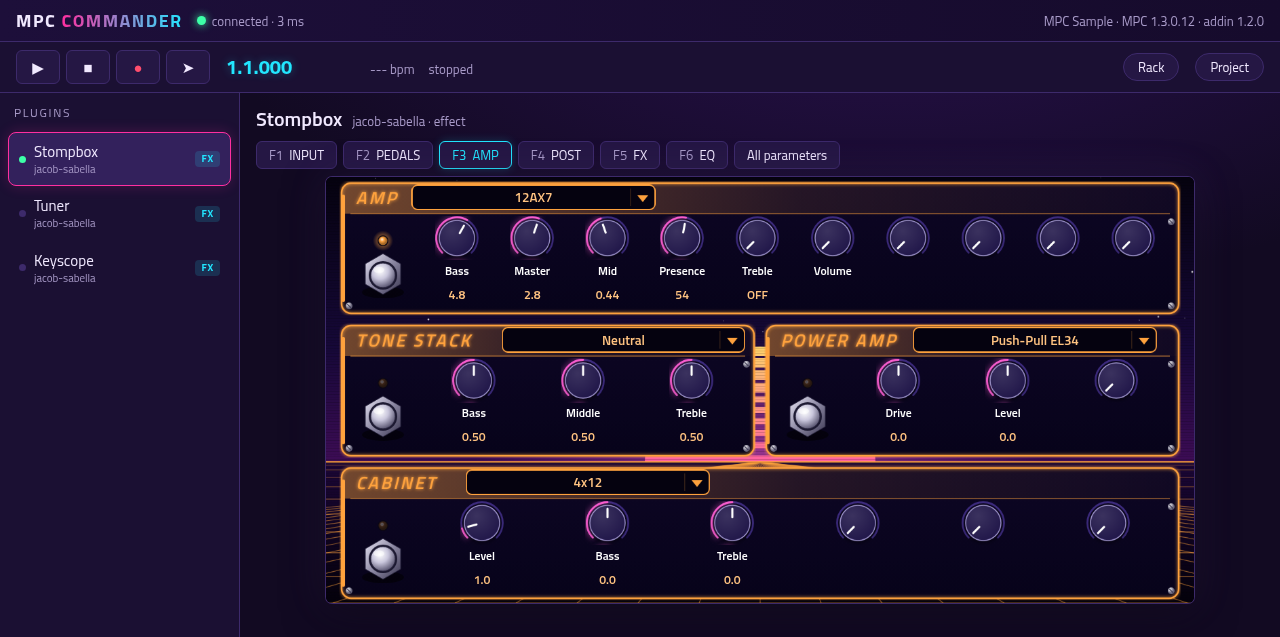
- RACK page (needs mpc-addin-sample-draw-handler 0.3 or later): a long hold of PAD FX opens it. It lists the
plugins on the input, the outputs, the submixes and the tracks, and lets you add a plugin, turn one on or off, or
remove one. A dial press on a plugin opens that plugin's own page, if it has one (mpc-vst-plugins'
"sample_page"). - ON/OFF is live for a plugin MPC is running: its input goes straight to its output (a one-block crossfade, so no
click), at once and without a restart, until MPC restarts. APPLY writes the live OFFs into the project with the other
changes, so they stay off. A plugin that is off in the project isn't running, so turning it on still takes APPLY.
Live off doesn't delay the dry signal by the plugin's latency, and a plugin turned back on starts from where it left
off (a delay's old echoes, say). How: the addin interposes
dlsymfor plugin entries, like mpc-addin-commander, and hands each lookup on to the next addin that does too, so both work together in either order. - APPLY restarts MPC. The edits are saved, then
sample-rack-applyruns as a systemd unit of its own: it stops MPC, edits the project's working copy (/data/TempProjects/Temp-Project.xpj) and starts MPC again. Save the project first. Everything else in the file stays byte-for-byte the same. - Limits: one of each plugin per project, four inserts per channel. MPC's own effects are shown but never changed.
- For other addins in the same process (
src/bridge.c):mpc_sample_rack_api()(the interface version, 2),mpc_sample_rack_state()(the rack as a JSON document, malloc'd; each insert has"live":"on","off"or null),mpc_sample_rack_apply(json, why, n)(the same apply as the page, live OFFs included, refused while one is running) and, since interface 2,mpc_sample_rack_live(slot, index, name, on, why, n)(live on/off). mpc-addin-commander finds them withdlsymand offers the rack in its browser UI. There is no socket.
Settings
mpc_sample_rack.conf, next to the library: enabled (0 leaves it loaded but idle), project, settings (the plugins
MPC knows) and service (the one APPLY restarts, ac50.service).
Install
With the shared addin installer from mpc-vst-plugins (tools/release/addin): tools/release-aarch64.sh <version>
builds the zip; on the device, sh install.sh in the unpacked folder.
Develop
build-aarch64.sh builds build/aarch64/mpc_sample_rack.so and sample-rack-apply in an arm64 container.
tests/test.sh runs the host tests under ASan and UBSan: the core reads a project and the plugin list and saves edits
(core_test), the exports for other addins (bridge_test), and sample-rack-apply on a copy of a project. Then live
on/off: the real addin preloaded into a stand-in "MPC Sample" (tests/live_host.c) that loads a stand-in effect
(tests/fake_fx.c), alone and ahead of another addin that hooks dlsym (tests/other_hook.c).
License
MIT.
Recent releases
-
Release notes
The MPC Sample's plugin rack on its own screen: add, turn on or off and remove plugins on the input, outputs, submixes and tracks.
New in 1.0.1: packaged with the current addin installer; RACK itself is unchanged.
install.shnow finds the MPC Sample'sac50service (1.0.0's stopped with "Unit acvs.service not found"), installssample-rack-applyexecutable so APPLY works, and INSTALL.md names the MPC Sample.An addin for MPC OS standalone devices: a library MPC loads at its start (through
LD_PRELOAD), not a plugin on a track. It is installed to/data/mpc-addins/sample-rack/.Requirements
- An MPC Sample (aarch64). RACK is for the Sample only; the installer refuses a device that is not aarch64.
- Root shell access (SSH) to the device. Stock MPC OS doesn't offer this; you need a modded unit.
- Installing addins this way is unofficial: back up first, use at your own risk.
Install
- Unzip, then copy the whole folder to the device, e.g.
scp -r MPC-Sample-rack-addin-1.0.1 root@<device-ip>:/tmp/ - Run it:
ssh root@<device-ip> sh /tmp/MPC-Sample-rack-addin-1.0.1/install.sh
The installer copies the addin into
/data/mpc-addins/sample-rack/, addsmpc_sample_rack.soto theLD_PRELOADlist of MPC's service and restarts MPC (save your project first). The list is extended, never replaced: other addins and the libraries the firmware preloads stay. Where no writable file sets the list (the unit is on the read-only root), one drop-in shared by every addin sets it,/etc/systemd/system/<service>.service.d/90-mpc-addins.conf. Re-run the installer after a firmware update.-yskips the question,-nleaves the restart to you.Settings are in
/data/mpc-addins/sample-rack/mpc_sample_rack.conf; an upgrade keeps your edits.On the MPC Sample a long hold of PAD FX now brings up RACK: the plugins on the input, outputs, submixes and tracks, to add, turn on or off and remove. Needs mpc-addin-sample-draw-handler 0.3 or later. APPLY restarts MPC with the changes in the project.
Uninstall
ssh root@<device-ip> sh /data/mpc-addins/sample-rack/uninstall.shtakes the addin out ofLD_PRELOAD, restarts MPC and deletes its folder.Files
See
SHA256SUMS. Made with mpc-vst-plugins (docs/ADDINS.md). -
Release notes
The MPC Sample's plugin rack on its own screen: add, turn on or off and remove plugins on the input, outputs, submixes and tracks.
New since 0.2.0 (in 0.3.0): ON/OFF on a plugin MPC is running acts at once, with no restart (its input passes straight through, with a short crossfade). It lasts until MPC restarts; APPLY writes it into the project. Works alongside mpc-addin-commander 1.2.0, whose rack panel gets the same live toggle (interface 2,
mpc_sample_rack_live).Requirements
- A Gen2 MPC OS standalone device (aarch64: Live III, One G2, Key(s) G2). The installer refuses anything else.
- Root shell access (SSH) to the device. Stock MPC OS doesn't offer this; you need a modded unit.
- Installing addins this way is unofficial: back up first, use at your own risk.
Install
- Unzip, then copy the whole folder to the device, e.g.
scp -r MPC-Sample-rack-addin-1.0.0 root@<device-ip>:/tmp/ - Run it:
ssh root@<device-ip> sh /tmp/MPC-Sample-rack-addin-1.0.0/install.sh
The installer copies the addin into
/data/mpc-addins/sample-rack/, addsmpc_sample_rack.soto theLD_PRELOADlist of MPC's service and restarts MPC (save your project first). The list is extended, never replaced: other addins and the libraries the firmware preloads stay. Where no writable file sets the list (the unit is on the read-only root), one drop-in shared by every addin sets it,/etc/systemd/system/<service>.service.d/90-mpc-addins.conf. Re-run the installer after a firmware update.-yskips the question,-nleaves the restart to you.Settings are in
/data/mpc-addins/sample-rack/mpc_sample_rack.conf; an upgrade keeps your edits.On the MPC Sample a long hold of PAD FX now brings up RACK: the plugins on the input, outputs, submixes and tracks, to add, turn on or off and remove. Needs mpc-addin-sample-draw-handler 0.3 or later. APPLY restarts MPC with the changes in the project.
Built from jacob-sabella/mpc-addin-sample-rack@494041a with mpc-vst-plugins (tools/release-aarch64.sh). The same code as 0.3.0. Live ON/OFF is tested offline (a stand-in host); not yet on an MPC Sample.
-
Release notes
The MPC Sample's plugin rack on its own screen: add, turn on or off and remove plugins on the input, outputs, submixes and tracks.
New in 0.3.0: ON/OFF on a plugin MPC is running acts at once, with no restart (its input passes straight through, with a short crossfade). It lasts until MPC restarts; APPLY writes it into the project. Works alongside mpc-addin-commander 1.2.0, whose rack panel gets the same live toggle (interface 2,
mpc_sample_rack_live).Requirements
- A Gen2 MPC OS standalone device (aarch64: Live III, One G2, Key(s) G2). The installer refuses anything else.
- Root shell access (SSH) to the device. Stock MPC OS doesn't offer this; you need a modded unit.
- Installing addins this way is unofficial: back up first, use at your own risk.
Install
- Unzip, then copy the whole folder to the device, e.g.
scp -r MPC-Sample-rack-addin-0.3.0 root@<device-ip>:/tmp/ - Run it:
ssh root@<device-ip> sh /tmp/MPC-Sample-rack-addin-0.3.0/install.sh
The installer copies the addin into
/data/mpc-addins/sample-rack/, addsmpc_sample_rack.soto theLD_PRELOADlist of MPC's service and restarts MPC (save your project first). The list is extended, never replaced: other addins and the libraries the firmware preloads stay. Where no writable file sets the list (the unit is on the read-only root), one drop-in shared by every addin sets it,/etc/systemd/system/<service>.service.d/90-mpc-addins.conf. Re-run the installer after a firmware update.-yskips the question,-nleaves the restart to you.Settings are in
/data/mpc-addins/sample-rack/mpc_sample_rack.conf; an upgrade keeps your edits.On the MPC Sample a long hold of PAD FX now brings up RACK: the plugins on the input, outputs, submixes and tracks, to add, turn on or off and remove. Needs mpc-addin-sample-draw-handler 0.3 or later. APPLY restarts MPC with the changes in the project.
Built from jacob-sabella/mpc-addin-sample-rack@18757db with mpc-vst-plugins (tools/release-aarch64.sh). Live ON/OFF is tested offline (a stand-in host); not yet on an MPC Sample.