MP Selector
One card, many firmwares. A microSD launcher for the MPC Sample: turn the dial to pick which app or mod runs (Cover Flow and Library views). Currently opens the stock app on 1.4.0.8; other covers are added by hand.
Screenshots (3)
Images: from fomoPhil/mpselector
About
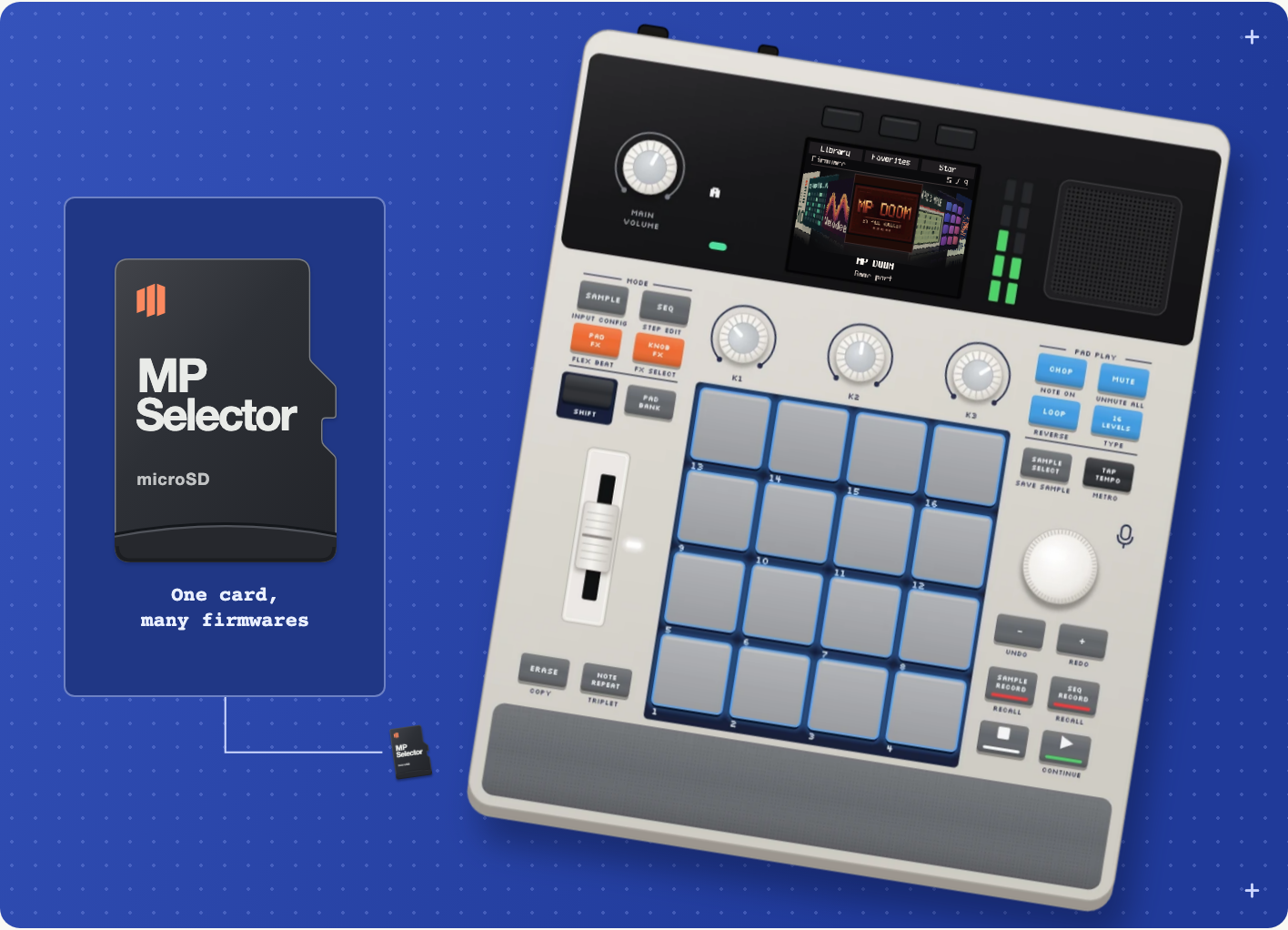
Keep your favorite sampler mods and apps on one microSD card. Turn the dial on your Akai MPC Sample to pick what runs next. It starts from the card. Nothing is flashed.
By Phil Woolley. Try the dial in your browser at philwoolley.com/mpselector.
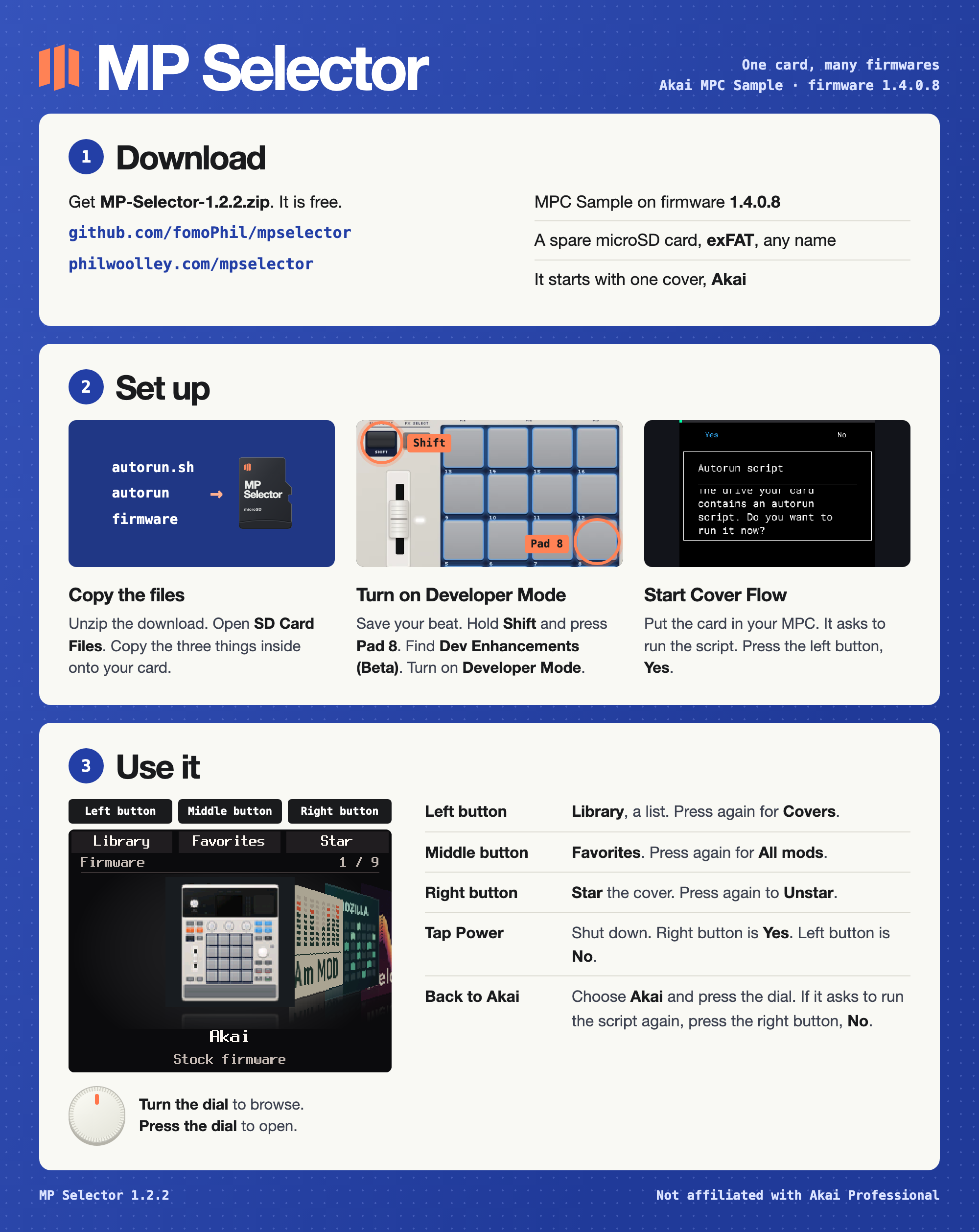
The whole thing on one page: quick guide.
Download
Tested on MPC Sample firmware 1.4.0.8. The checksum is on the release page.
The download has one cover, Akai. It does not include or install any other firmware. You add your own.
Set up your card
You need a spare microSD card (exFAT). The card can have any name.
- Copy the files. Unzip the download. Open
SD Card Files. Copy the three things inside onto your card:autorun.sh,autorunandfirmware. - Turn on Developer Mode. Save your beat first. On your MPC, hold Shift and press Pad 8. Find Dev Enhancements (Beta). Turn on Developer Mode.
- Start Cover Flow. Eject the card and put it in your MPC. The MPC asks to run the script. Press the left button, Yes.
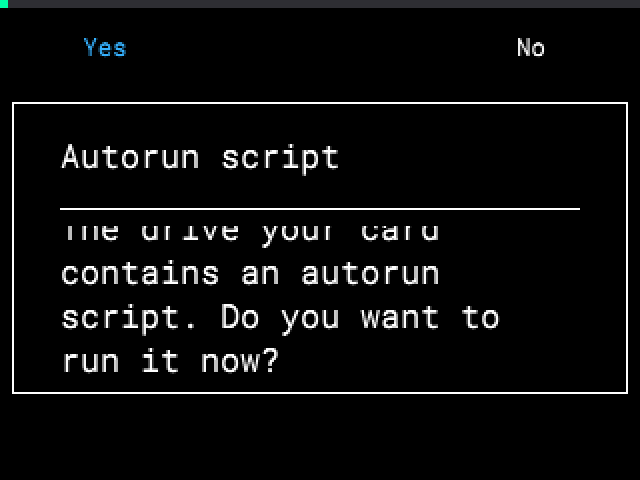
The prompt shows your own card's name.
Use it
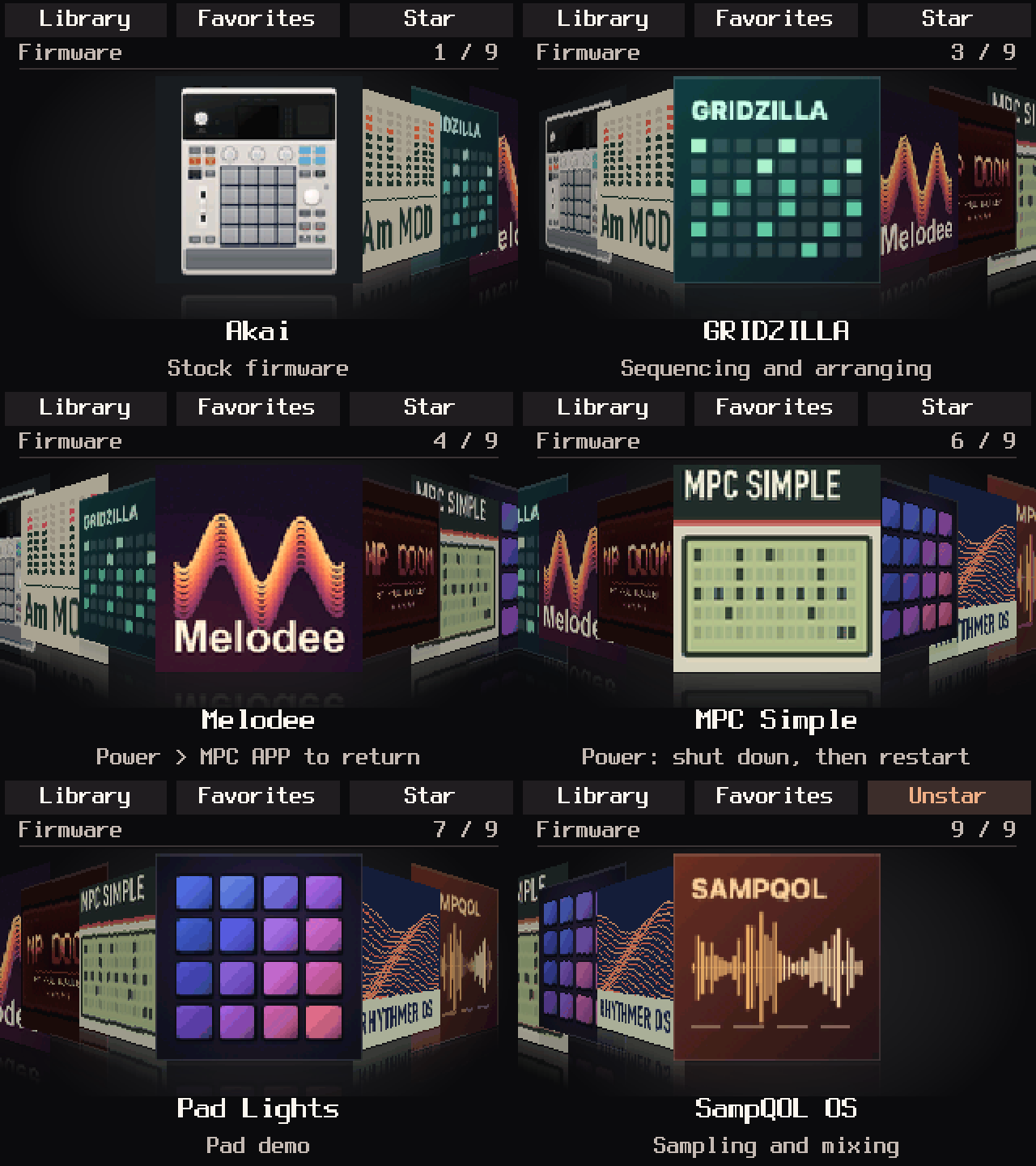
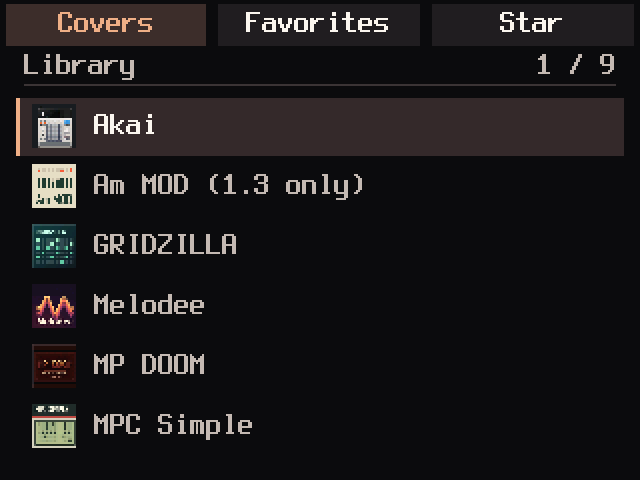
These nine covers are on Phil's own demo card. Your MPC shows what is on your card.
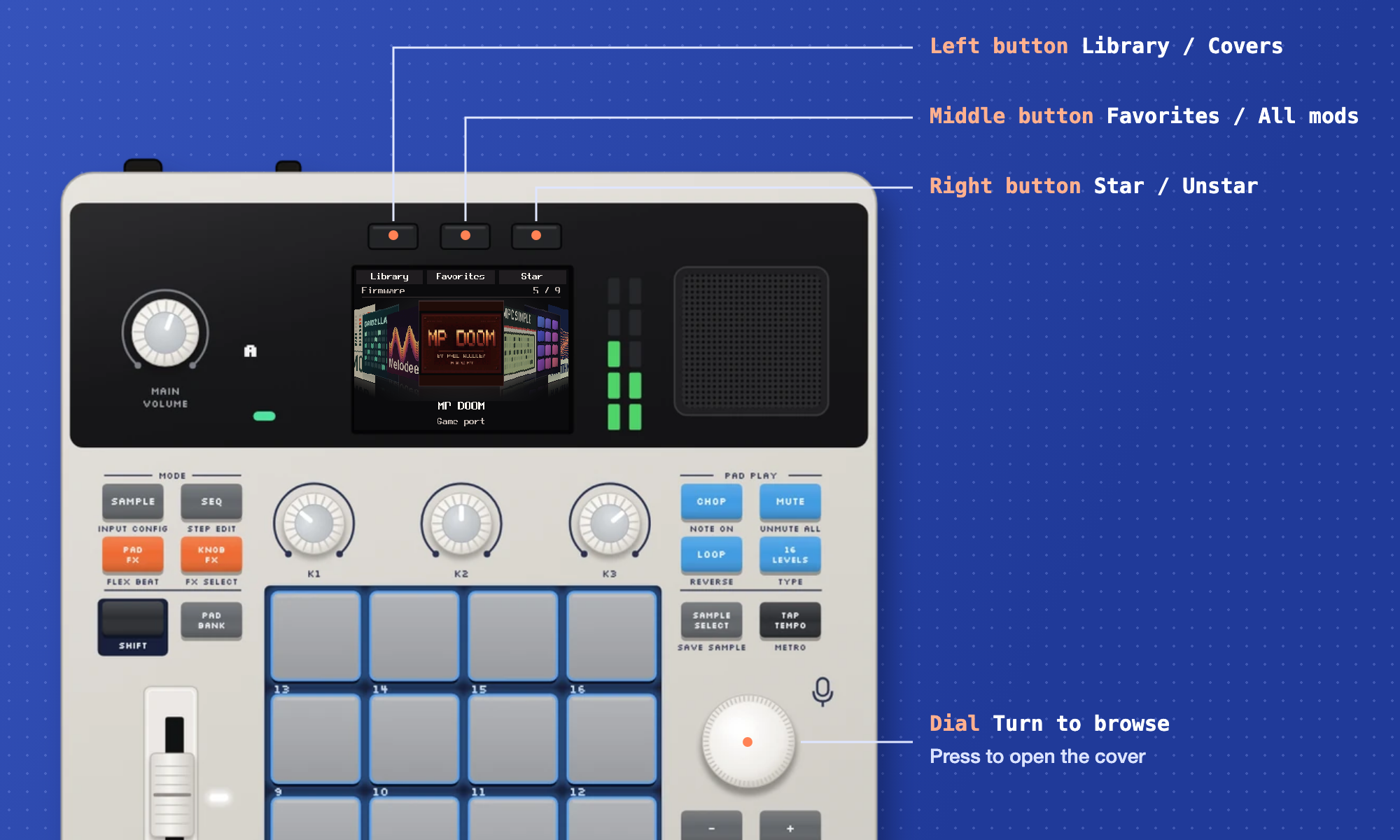
| Control | What it does |
|---|---|
| Dial, turn | Browse the covers |
| Dial, press | Open the cover |
| Left button | Library, a list. Press again for Covers |
| Middle button | Favorites. Press again for All mods |
| Right button | Star or Unstar the cover |
| Power, tap | Shut down. Right button is Yes. Left button is No |
Your stars are saved when you open a cover or shut down.
Go back to the Akai sampler
Choose Akai and press the dial. This opens the Akai sampler that is on your MPC. Phil tested it on 1.4.0.8.
If Akai asks to run the card script again, press the right button, No. That keeps you in Akai.
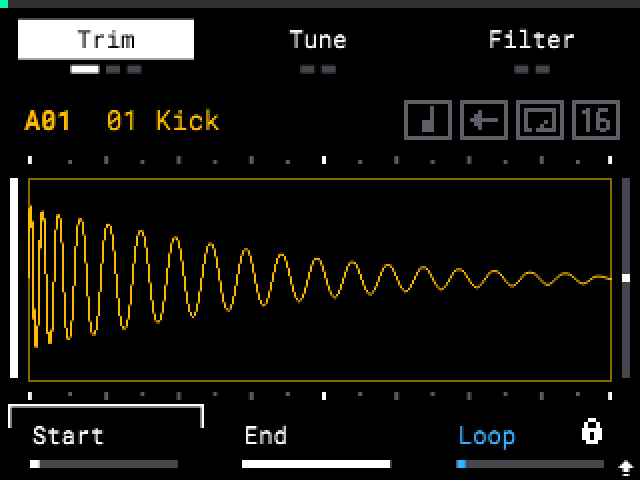
You can also shut down, take the card out and turn the MPC back on.
Add firmware
MP Selector is the menu. It does not come with other firmware. You download a firmware from its maker and copy it onto your card. Needs MP Selector 1.2 or later.
- Download the firmware from its own page and unzip it.
- On your card, open
firmwareand make a new folder. Its name is what the MPC shows. - Copy everything from the download into that folder, as it is.
The firmware runs the way it would alone on a card. Folders it keeps at the top of a card, such as MPC-Simple, can stay inside its own folder.
For a cover, add a square picture named cover.png or cover.jpg to the same folder.
Opened on Akai 1.4.0.8
Each of these was copied in unchanged and opened from Cover Flow on an MPC Sample running Akai 1.4.0.8.
MP DOOM and DFOS need MP Selector 1.2.1. DFOS's own site says it is for Akai 1.3.0.12 and it checks for that. MP Selector 1.2.1 lets it start on 1.4.0.8, where it was tested on one MPC Sample. Its author does not support it there.
| Firmware | Version |
|---|---|
| MP DOOM | 1.0.4 |
| DFOS | 0.1.105 Beta |
| Melodee | 0.8.3 |
| MPC Simple | 1.0 Beta 11 |
| Rhythmer OS | 0.3.0 |
| hdslaveOS | 0.8.2-hdslave.3 |
| EPICYCLE | 0.3.6 |
| MPC 600 S | 2.0H |
| MPCTRACKER | 0.1.0 |
| MPC Furnace | 1.0.0 |
| Beat-Train | 1.6 |
| MPC Cave Story | 1.0.0 |
| MPC TIC-80 | 1.0.0 |
| MPC Gen1Recomp | 1.0.1 |
Not on Akai 1.4 yet
- Tape Workshop and the sample-base demos check the Akai version themselves and stop on 1.4.0.8. They need an update from their makers.
- SampQOL OS, Am MOD, MaiaOS, KAOSAMPLE, MINIMOD, ArpeggiGator and similar mods change the Akai 1.3 app itself. On 1.4 their cover says "Requires Akai firmware 1.3.0.12" and nothing runs.
If one does not open
After a minute with nothing on screen, Cover Flow comes back and says it did not start. Two things to try:
- Put an empty file named
sampleboot.inplacein the firmware's folder, next to itsautorun.sh. This is the same file SampleBoot uses. - Check the firmware's own page for the Akai version it needs.
The Add Firmware page still sets up Melodee and MPC Simple so that quitting them returns to Cover Flow.
A firmware can also ship its own MP Selector folder. The page adds those too, whoever made them, and they open on MP Selector 1.1 or later. Developers: see Make your firmware work with MP Selector.
If the page does not know a firmware, it tells you to copy it in as above.
Prefer a terminal? node importer/cli.mjs <release.zip> <card folder> does the same thing.
Make your own cover
This part is for people who are comfortable with shell scripts.
Each cover is a folder inside firmware on the card. The folder's name is its ID.
| File | Needed | What it is |
|---|---|---|
name |
Yes | The title shown on screen. First line only. |
run.sh |
Yes | The script that starts the firmware. |
cover.png or cover.jpg |
No | The cover art. A square picture. |
cover.rgb565 |
No | The cover art as raw pixels. 96 × 96, RGB565, little-endian. Exactly 18,432 bytes. |
akai |
For a new folder | The Akai firmware versions it runs on, one per line. For example 1.4.0.8. |
caption |
No | One short line under the title. Plain ASCII. |
unavailable |
No | One line. The cover shows this message and does not open. |
SHA256SUMS |
No | If it is there, every file is checked before the firmware starts. |
When you press the dial, MP Selector copies the folder into memory, because the card cannot run programs. It stops the Akai app and runs sh ./run.sh <card path> <log file> as root from that copy. Files whose names start with a dot are not copied. When the script ends, Cover Flow comes back.
What opens on 1.4.0.8.
- Any folder whose
akaifile lists1.4.0.8. The full rules are in docs/DEVELOPERS.md. - Folders named
mp-doom,pad-lights,melodeeandmpc-simple, with or without anakaifile.melodeeandmpc-simplealso need aSHA256SUMSfile that lists their files. - A folder whose
akaifile lists only other versions shows "Requires Akai firmware" and the first version it lists.sampqolandgridzillashow that for 1.3.0.12. - Any other folder shows "Not verified on Akai firmware 1.4" and stays in Cover Flow.
Version 1.0.1 opens only the four named folders.
Firmware people use
| Project | Made by | Notes |
|---|---|---|
| MPC Simple | Mike Feedback | Load your samples and make a beat. |
| Melodee | Kerem | Make a song with up to 16 tracks. |
| SampQOL OS | snarebes | Adds up to 16 drum tracks, a step sequencer, a mixer with effects, 128-slice chop and stem export to the stock sampler. Free, in beta, made for firmware 1.3.0.12. |
These projects belong to their creators. MP Selector does not include them, install them or speak for them.
If something goes wrong
- You see the Akai sampler, not Cover Flow. Check that your MPC is on 1.4.0.8 and Developer Mode is on. Save your work, then put the card in again.
- No prompt appears. Check that
autorun.shis at the top of the card, next toautorunandfirmware. - Cover Flow shows only Akai. That is normal on a new card. See Add firmware.
START HERE.txt in the download has the same steps.
Build from source
The selector is a small C program for the MPC's screen, dial and buttons. It builds to a static ARM64 Linux binary with Zig 0.15.2. The exact compiler is recorded in TOOLCHAIN.json.
python3 rebuild.py sd-files --zig /path/to/zig
This makes a new sd-files folder with the same files as SD Card Files in the download. Build on macOS or Linux.
| Folder | What is in it |
|---|---|
selector/ |
Cover Flow, the launcher scripts and the Akai cover |
doom/ |
Screen and control code shared with MP DOOM |
importer/ |
The source of the Add Firmware page, Add Firmware.html, with its pictures in importer/art. Rebuild it with node importer/build.mjs. node importer/watch.mjs checks each firmware's newest release against it |
docs/ |
README images and the source of the quick guide |
The source for the compiler runtime and C library is in the Source archive inside the release ZIP.
Quick guide
License
MP Selector's code is GPL version 2 or later. See LICENSE. The built-in Terminus font uses the SIL Open Font License. See Licenses/Terminus.txt. Notices for the C library and compiler runtime are in Licenses/Runtime.txt.
MP Selector is an independent project. It is not affiliated with Akai Professional.
Recent releases
-
Release notes
DFOS opens again after its Stock OS button.
When you leave DFOS with Stock OS, DFOS stays shut until the MPC restarts. On 1.2.1 Cover Flow then said "DFOS did not start". Opening DFOS from Cover Flow now starts it every time.
Nothing else changed from 1.2.1: fourteen firmwares open from their own downloads on Akai 1.4.0.8. The list is in the README.
Already set up? Copy the new
autorunfolder andautorun.shover the ones on your card. Leave yourfirmwarefolder as it is.Tested on Akai MPC Sample firmware 1.4.0.8.
SHA-256:
525448091af26667f761d8997480bb6ded06617d6b9adf115e55df3999d20886 -
Release notes
DFOS and MP DOOM now open from their own downloads, copied in as they are.
- DFOS 0.1.105 Beta starts on Akai 1.4.0.8. DFOS checks for the Akai 1.3.0.12 app and stops on anything else. MP Selector lets it start, and it ran on one MPC Sample with pads, buttons and sound working. Its author says it is for 1.3.0.12 and does not support it on 1.4.
- MP DOOM 1.0.4: copy the whole starter download into a folder in
firmware. No extra file needed.
Fourteen firmwares now open this way on Akai 1.4.0.8. The list is in the README.
Already set up? Copy the new
autorunfolder andautorun.shover the ones on your card. Leave yourfirmwarefolder as it is.Tested on Akai MPC Sample firmware 1.4.0.8.
SHA-256:
8e4d1f5e68eed5ab42431b5d1d20496dcf9ca8588f0cb8b459158bb4a5b01a33 -
Release notes
Copy a firmware onto your card as it is. Download it from its maker, unzip it, make a new folder inside
firmwareon your card and copy everything in. It opens from Cover Flow and runs the way it would alone on a card.Thirteen firmwares opened this way on Akai 1.4.0.8, among them Melodee, MPC Simple, Rhythmer OS, hdslaveOS, EPICYCLE, MPC 600 S and MPCTRACKER. The full list, and what does not run on 1.4 yet, is in the README.
Cover art can now be a picture. Put a square
cover.pngorcover.jpgin the firmware's folder.Firmware that changes the Akai app itself was made for Akai 1.3. On 1.4 its cover says "Requires Akai firmware 1.3.0.12" and nothing runs.
Already set up? Copy the new
autorunfolder andautorun.shover the ones on your card. Leave yourfirmwarefolder as it is.Tested on Akai MPC Sample firmware 1.4.0.8.
SHA-256:
a378d3c01e02df140c6e74dfc4b754d3295e579258e589375965646a4bb308ee